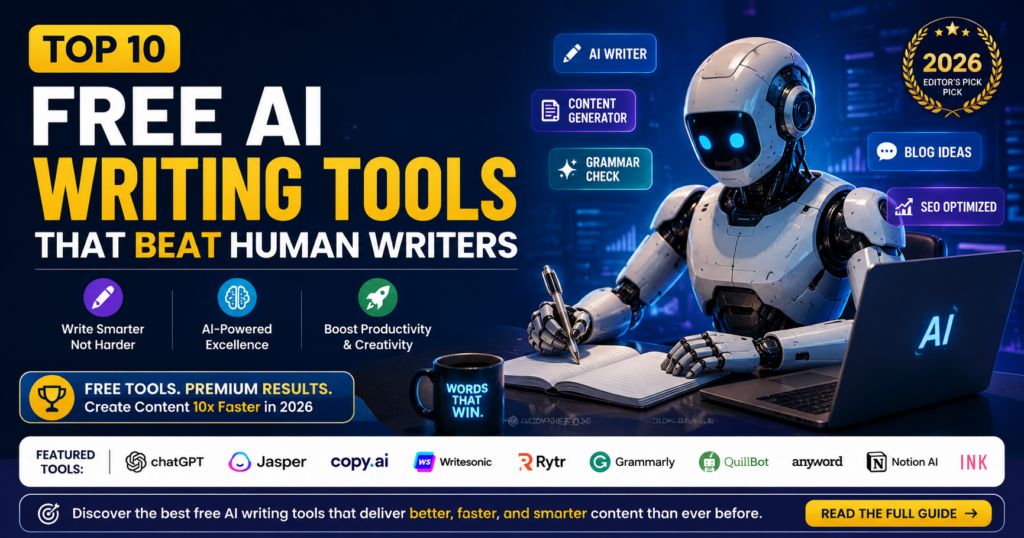
Finding the best free AI writing tools in 2026 can save writers time, simplify editing, and make content creation easier. Whether you run a blog, manage social media, write business emails, study, or create marketing materials, the right AI writing assistant can help you move from a blank page to a more organized draft.
However, not every AI writing tool is designed for the same purpose. Some are versatile assistants for brainstorming and drafting, while others specialize in grammar correction, paraphrasing, marketing copy, or workplace communication. Choosing the wrong tool can waste time, especially when a free plan has usage limits or reserves important features for paying customers.
In this guide, we examine 10 free AI writing tools in 2026: ChatGPT, Claude, Google Gemini, Microsoft Copilot, Grammarly, QuillBot, Copy.ai, Rytr, Writesonic, and Simplified. We explain what each tool does, who may benefit from it, its practical strengths, and the limitations readers should consider.
The phrase “beat human writers” in the title deserves some explanation. AI can outperform people at certain repetitive tasks, such as producing multiple headline ideas quickly, generating draft variations, and reorganizing text. That does not mean it consistently writes better than experienced human writers in every situation.
Original storytelling, personal experience, cultural understanding, careful research, factual judgment, and a distinctive voice remain important parts of quality writing. AI-generated text can also contain errors, misleading statements, or generic explanations that require substantial editing.
Our aim is therefore not to claim that machines have made human writers unnecessary. Instead, this guide explores where free AI writing tools can be useful, where their limitations matter, and how to choose one that fits your writing needs without automatically paying for features you may not need.
Why I Believe AI Should Assist Writers, Not Replace Their Judgment
The most useful thing about an AI writing assistant is its ability to reduce the time spent on repetitive work. When a writer is struggling with an outline, searching for a better headline, or trying to make an unclear sentence easier to understand, AI can provide a starting point.
But a starting point is not the same as a finished article. A generated draft still needs a writer who understands the audience, checks the facts, adds relevant examples, removes unnecessary wording, and decides whether the final result is genuinely useful.
For example, an AI tool might generate ten possible titles for a blog post in seconds. The writer must still determine which title accurately represents the article, matches the reader’s search intent, and makes a promise the content can deliver.
That is the approach I recommend throughout this guide: use AI to improve efficiency, but retain human responsibility for accuracy, originality, clarity, and the final editorial decisions.

Why Free AI Writing Tools Matter in 2026
Writing involves more than putting words on a page. It can require research, planning, drafting, editing, proofreading, and adapting the same message for different audiences. Free AI writing tools can assist with some of these tasks, allowing writers to spend more time on decisions that require experience and judgment.
Consider a blogger preparing an article. A general-purpose AI assistant may help generate topic ideas and organize an outline. An editing tool can then identify grammar problems, while a paraphrasing tool may suggest alternative wording for an awkward sentence.
A small business owner may have different needs. They might use AI to brainstorm product descriptions, prepare customer emails, or develop several versions of a social media caption. A student may find summarization and writing feedback useful, provided the tool is used in accordance with the relevant academic rules.
Depending on the platform and its available features, AI writing assistance may include:
- Generating article ideas and headlines.
- Organizing blog outlines and section headings.
- Creating initial drafts for further editing.
- Improving grammar, spelling, and readability.
- Rewriting unclear or repetitive sentences.
- Summarizing lengthy information.
- Developing social media captions and marketing copy.
- Preparing email drafts and business communications.
- Creating video script outlines and talking points.
- Adapting a message for different audiences or formats.
Free access can make these capabilities easier to explore, but free plans are not always unlimited. Some providers restrict usage, available models, or advanced features. Always check the current plan details before depending on a tool for regular or high-volume work.
How We Assess Free AI Writing Tools at AI Compare Guide
A useful comparison should do more than repeat a software provider’s marketing claims. Readers need to understand what a tool is designed to do, how it might fit into their work, and what they should check before choosing it.
For this guide, we use a practical evaluation framework covering the following areas:
- Main purpose: What writing problem is the tool designed to solve?
- Practical usefulness: Which real writing tasks can it help with?
- Free access: Is a free option available, and are important features or usage restricted?
- Ease of use: Can a typical user understand how to get started?
- Output quality: What should users review for clarity, relevance, accuracy, and originality?
- Limitations: Where might the tool require extra editing, verification, or another service?
- Best-fit audience: Which writers are most likely to benefit from the tool?
These criteria help organize the comparison around readers’ needs rather than simply ranking platforms by the number of features they advertise.
Important note about testing: This framework describes how the tools are assessed in this guide; it should not be interpreted as a claim that every tool underwent identical hands-on testing or controlled performance experiments. Free-plan availability, feature access, and pricing can change. Readers should confirm current details on each provider’s official website before making a decision.
Our recommendations should be treated as practical guidance, not proof that one AI writing tool is objectively superior for every task. The best choice depends on your writing goals, budget, workflow, and willingness to review the generated output.
What You Will Learn in This Guide
This comparison explains how ten popular AI writing platforms differ and helps you identify the most suitable option for your needs.
- The main purpose and useful features of each tool.
- Which tools are suitable for blogging and long-form writing.
- Which tools can assist with editing and paraphrasing.
- Which platforms may help with advertising and marketing content.
- What to consider when evaluating free plans.
- How to combine AI assistance with human editing.
- How to choose a tool without paying for unnecessary features.
The aim is to help you make a more informed choice, not persuade you to sign up for every platform on the list.
Top 10 Free AI Writing Tools in 2026
The best free AI writing tools serve different purposes. Some can help you brainstorm ideas and create first drafts, while others focus on proofreading, paraphrasing, marketing copy, or workplace communication.
The six tools in this section cover general writing, long-form content, productivity, editing, and rewriting. Each profile explains what the platform can help you accomplish, who may benefit from it, and what to consider before relying on it.
Free access does not always mean unlimited use. Features, usage allowances, and account restrictions can change, so check the provider’s current plan details before choosing a tool for regular work.
1. ChatGPT — Best Overall Free AI Writing Tool
ChatGPT is a general-purpose AI assistant that can help with brainstorming, outlining, drafting, rewriting, summarizing, and many other writing tasks. Its flexibility makes it a useful starting point for people who need one tool to support several stages of content creation.
For example, a blogger can provide a topic and target audience, ask for an article outline, and then develop individual sections with additional instructions. A business owner might use it to draft a customer email, while a video creator could ask it to organize talking points into a script.
Key Features
- Brainstorming article topics and headlines.
- Creating outlines and initial drafts.
- Rewriting sentences for clarity and tone.
- Summarizing supplied text.
- Drafting emails, captions, and scripts.
- Explaining concepts and helping organize information.
- Assisting with technical and business writing.
Best Uses for ChatGPT
ChatGPT is a practical option for bloggers, students, freelancers, content creators, marketers, and small business owners who need assistance with different writing tasks.
It can also be useful when you are unsure how to begin. Instead of asking it to write an entire article immediately, you can start by requesting topic ideas, identifying the reader’s questions, and building an outline before drafting.
Practical Example: Create a Blog Outline
Imagine you want to write an article about saving money on a limited income. You could use a prompt like this:
Example prompt: “Create a practical outline for an article about saving money on a low income. Write for beginners, use clear headings, include realistic examples, and avoid promises that everyone can save the same amount.”
Review the outline before developing the article. Add relevant examples, verify any financial claims, and remove advice that does not fit the intended audience.
Free Access and Limitations
ChatGPT offers a free option, but usage limits and access to particular models or features may vary. Do not assume that every capability is available without payment or that free access will always have the same limits.
Another important limitation is accuracy. ChatGPT can produce convincing statements that are incomplete, outdated, or incorrect. Verify important facts using reliable sources, particularly when writing about health, law, finance, technology, or current events.
Our Assessment
ChatGPT is a strong first choice when you want one flexible AI writing assistant for multiple tasks. Its greatest advantage is versatility, not a guarantee that every draft will be publishable without editing.
For a better result, give it clear instructions, explain who the audience is, request specific examples, and review the output carefully before using it.
Official website: Explore ChatGPT
2. Claude — Best for Detailed Writing and Long Documents
Claude, developed by Anthropic, is an AI assistant that can help users draft, revise, summarize, and organize information. It can be useful when a writing project contains several connected sections or requires careful attention to a large amount of supplied context.
For example, a researcher might use Claude to organize notes into a report outline. A blogger could use it to improve the flow between sections, while a professional might ask it to summarize a lengthy document into a clearer briefing.
Key Features
- Drafting and revising written content.
- Summarizing supplied documents and notes.
- Organizing complex information into sections.
- Improving explanations and paragraph flow.
- Developing reports and structured documents.
- Helping identify gaps or inconsistencies in a draft.
Best Uses for Claude
Claude may suit bloggers, researchers, professionals, students, and writers working on detailed documents. It is worth considering when you need help maintaining a consistent structure across a longer piece of writing.
Practical Example: Organize Research Notes
Suppose you have gathered notes for an article about the benefits and limitations of remote work. You could ask Claude to group the notes into themes, identify repeated points, and suggest a logical order for the article.
The important step is to distinguish between information contained in your notes and new claims introduced by the AI. Check the original sources before treating a summary as verified evidence.
Free Access and Limitations
Claude provides a free access option, subject to applicable usage limits and feature availability. The amount of usage you receive may depend on demand, the model available, and the provider’s current terms.
Claude can also misunderstand instructions, omit important details, or produce inaccurate information. A well-organized answer should not automatically be treated as a fact-checked answer.
Our Assessment
Claude is worth considering when your work involves detailed explanations, structured documents, or organizing extensive notes. However, it should be compared with other assistants using your own writing tasks rather than assumed to be the best choice for every long article.
Official website: Explore Claude
3. Google Gemini — Best for Google-Centered Workflows
Google Gemini is Google’s AI assistant. It can help users brainstorm, draft, rewrite, summarize, and organize information. Depending on the features available to their account, users may also be able to connect AI assistance with parts of their wider Google workflow.
A student might use Gemini to turn study notes into a revision outline. A blogger could ask it to suggest questions readers may have about a topic, while a small business owner might use it to draft customer communications.
Key Features
- Writing and brainstorming assistance.
- Article outlines and first drafts.
- Summarization and explanations.
- Help organizing information.
- Assistance with emails and professional communication.
- Integration with supported Google services where available.
Best Uses for Gemini
Gemini may be particularly convenient for Google users, students, bloggers, professionals, and people who combine writing with research and productivity tasks.
Practical Example: Turn a Topic into an Outline
Imagine you are preparing a beginner’s guide to online safety. Ask Gemini to suggest the main questions a beginner should understand, group them into logical sections, and identify claims that require authoritative sources.
You should still consult reliable sources to verify the advice. AI-generated research suggestions are a starting point, not proof that every claim is correct.
Free Access and Limitations
Gemini has offered free access, but available models, usage limits, and connected features can vary. Access to particular integrations may depend on the account, region, subscription, and current product terms.
Do not assume that every Google service automatically includes every Gemini feature. Check the current availability before building your workflow around a particular integration.
Our Assessment
Gemini is a useful candidate if you want an AI writing assistant that can support both writing and broader information-organizing tasks. Its suitability depends on the features available to you and how well it handles your actual work.
Official website: Explore Google Gemini
4. Microsoft Copilot — Best for Everyday Workplace Writing
Microsoft Copilot is an AI assistant that can help with drafting, rewriting, brainstorming, summarization, and other productivity tasks. It may be useful for people who regularly prepare business messages, meeting summaries, reports, and professional documents.
For instance, a small business owner could ask Copilot to turn a list of product details into a first draft of a customer announcement. An office worker could use it to improve the organization of a report or make an email more concise.
Key Features
- Drafting and revising professional messages.
- Brainstorming and outlining documents.
- Summarizing supplied information.
- Improving the clarity of written communication.
- Generating ideas for presentations and reports.
- Additional Microsoft product integrations where supported.
Best Uses for Microsoft Copilot
Copilot is worth considering for business owners, office workers, students, freelancers, and professionals who need help with everyday workplace communication.
Practical Example: Improve a Business Email
Suppose you need to tell a customer that an order will arrive later than expected. You can ask Copilot to rewrite your draft in a professional, polite tone while preserving the actual delivery information.
Before sending the message, confirm that the revised email has not introduced an incorrect date, an unauthorized promise, or an explanation that your business cannot support.
Free Access and Limitations
Microsoft offers Copilot access options, but the features available through a free experience may differ from those included with paid subscriptions or specific Microsoft 365 plans.
Do not assume that a free Copilot account includes every feature available inside Word, Excel, Outlook, or other Microsoft products. Confirm the exact requirements for the feature you intend to use.
Our Assessment
Copilot is a sensible option for people who want assistance with professional writing and everyday productivity. Its value is especially relevant when its available features fit the user’s existing workflow.
As with other AI assistants, review sensitive business information carefully and avoid submitting confidential material unless you understand and accept the service’s applicable privacy and data-handling terms.
Official website: Explore Microsoft Copilot
5. Grammarly — Best for Grammar, Proofreading, and Clarity
Grammarly is a writing assistant known for helping users identify grammar, spelling, punctuation, and clarity issues. Its available AI features can also assist with rewriting and adjusting the tone of selected text.
Unlike a general-purpose AI assistant that can help generate an entire first draft, Grammarly is particularly useful when you already have something written and want to improve it. This makes it a useful companion for bloggers, students, freelancers, and professionals who regularly edit their own work.
Key Features
- Grammar and spelling suggestions.
- Punctuation and writing-convention checks.
- Clarity and readability suggestions.
- Tone-related feedback where available.
- Rewriting assistance for supported text.
- Additional AI writing features depending on the plan.
Best Uses for Grammarly
Grammarly is particularly useful for proofreading blog posts, checking business emails, polishing essays, improving professional messages, and reviewing written drafts.
Practical Example: Improve an Unclear Sentence
Consider this sentence:
Original:
The reason why we are making this change is because it will help to improve the way our customers are able to use the service.
Clearer revision:
We are making this change to improve the customer experience.
This is an illustrative editing example, not a claim that Grammarly generated this exact revision. It demonstrates the kind of improvement a writer can look for: removing unnecessary words while preserving the intended meaning.
A shorter sentence is not always better, however. If the original wording contains an important qualification or explanation, cutting it could change the meaning. Writers should evaluate suggestions in context.
Free Access and Limitations
Grammarly offers a free option, but the available features and limits may differ from those included in paid plans. Do not assume that all generative AI, rewriting, tone, or advanced writing features are free.
Editing software can also misunderstand context. A sentence may be grammatically correct but intentionally informal, humorous, technical, or culturally specific. Automatically accepting every suggestion can make the writer’s voice less distinctive.
Our Assessment
Grammarly is a strong option when your main goal is to improve a draft rather than generate every part of it from scratch. It can complement a general-purpose AI writing assistant by helping you review grammar and clarity after drafting.
For bloggers, the best workflow is to use editing suggestions as guidance, verify factual statements separately, and make the final decision about how the article should sound.
6. QuillBot — Best for Paraphrasing and Rewriting
QuillBot is a writing platform known for paraphrasing and rewriting. It can help users explore alternative ways to express an existing idea, simplify awkward sentences, and improve the flow of a draft.
For example, a blogger may have written a sentence that sounds repetitive. A paraphrasing tool can suggest another version, which the writer can then review and adjust to match the article’s tone.
Key Features
- Paraphrasing and sentence rewriting.
- Alternative wording suggestions.
- Summarization features where available.
- Grammar assistance where available.
- Tools for improving sentence flow and readability.
- Additional writing features depending on the current plan.
Best Uses for QuillBot
QuillBot may be useful for bloggers, students, freelancers, editors, and professionals who want to revise existing text or explore alternative wording.
Practical Example: Rewrite a Repetitive Sentence
Consider this original sentence:
The tool helps writers write content faster and helps them finish their writing tasks more quickly.
A possible manual revision is:
The tool helps writers complete content more efficiently.
This example illustrates the goal of removing repetition. It is n
7. Copy.ai — Best for Marketing Copy and Sales Content
Copy.ai is an AI writing tool designed mainly for marketing, sales communication, and business content. It can help users develop promotional messages, product descriptions, email drafts, social media posts, and advertising ideas.
For bloggers and online entrepreneurs, Copy.ai can be useful when you need ideas for promoting a product or explaining its benefits. You can use it to generate a first draft and then improve the message with your own knowledge and experience.
What Can You Use Copy.ai For?
- Writing social media captions and promotional messages.
- Creating marketing email drafts.
- Generating product descriptions.
- Developing advertising ideas.
- Turning rough marketing notes into organised content.
Practical Example
Suppose you sell phone accessories online and want to promote a new power bank. You could use this prompt:
Write three short promotional messages for a power bank. Explain its everyday benefits, use simple English, avoid exaggerated promises, and end each message with a clear call to action.
Review the generated messages before using them. Make sure every product claim is accurate and the wording suits your target audience.
Free Plan and Limitations
Check Copy.ai’s current free-plan availability, usage limits, and feature restrictions before signing up. Its available tools and workflows may depend on the plan offered at the time.
Copy.ai is particularly relevant to marketing-focused writing. If you mainly produce detailed educational articles, compare its results with those of a general-purpose AI assistant before choosing it.
Best for: Marketers, small businesses, online sellers, and content creators who regularly produce promotional material.
8. Rytr — Best for Quick AI Content Drafts
Rytr is an AI writing assistant that can help users produce short drafts, rewrite sentences, explore content ideas, and prepare basic marketing copy. It is useful when you need a starting point rather than a finished article.
For example, a beginner blogger who struggles to write an introduction can use an AI writing tool to generate possible openings and then improve the strongest option.
What Can You Use Rytr For?
- Generating blog post ideas.
- Drafting short paragraphs and introductions.
- Writing product descriptions.
- Creating social media captions.
- Rewriting sentences for clarity.
Practical Example
Imagine you want to write about saving money as a student. Try this prompt:
Create five practical tips for students who want to save money on a limited budget. Use simple English, include realistic examples, and avoid repeating the same advice.
Use the response as a starting point. Check the advice, add realistic examples, and include insights that reflect your understanding of the subject.
Free Plan and Limitations
Check Rytr’s current plan details before relying on it for regular publishing. Content-generation limits and available features may vary. Its drafts can also sound generic if your instructions are vague or you accept the first result without editing.
For stronger results, specify your audience, purpose, tone, and desired length. Always review factual statements before publishing.
Best for: Beginners, bloggers, and small business owners who need help creating short drafts quickly.
9. Writesonic — Best for Blog Content and Marketing Ideas
Writesonic is an AI content platform associated with blog writing, marketing copy, and other content-generation tasks. Depending on its current features and plan, it may help users turn rough ideas into outlines and initial drafts.
For website owners, this can help organise content production. However, generating a long article quickly does not automatically make it accurate, original, useful, or ready for publication.
What Can You Use Writesonic For?
- Developing blog topics and article outlines.
- Creating first drafts for informational content.
- Generating marketing copy.
- Organising rough notes into a clearer structure.
- Exploring alternative headlines and introductions.
Practical Example
Suppose you are planning an article about AI tools for small businesses. Try this prompt:
Create an outline for a beginner-friendly article about AI tools for small businesses. Include common business problems, practical use cases, limitations, and questions readers should ask before choosing a tool. Do not invent prices, statistics, or product features.
Review the outline to ensure it answers your readers’ questions. Add useful examples, verify product information, and remove repetitive sections.
Free Plan and Limitations
Writesonic’s free access and available features may change. Check its current plan details before making it part of your regular workflow.
AI-generated articles can repeat familiar explanations. To improve your content, add original examples, meaningful comparisons, clear explanations, and information that goes beyond a generic AI response.
Best for: Bloggers, website owners, and marketers who want assistance with outlines, drafts, and content ideas.
10. Simplified — Best for Writing and Content Creation
Simplified is a content-creation platform that brings together tools for tasks such as writing, graphic design, and social media content. Its available features depend on its current offering and subscription plan.
It may suit creators who prefer working on several types of content within one platform. For example, a small business might need a promotional caption, a short advertisement, and text for a graphic.
What Can You Use Simplified For?
- Generating social media captions and promotional copy.
- Brainstorming content ideas.
- Preparing first drafts for marketing campaigns.
- Creating content for different social platforms.
- Combining writing tasks with other available creative tools.
Practical Example
Imagine you run a clothing business and want to announce a new collection. Try this prompt:
Write three social media captions announcing a new clothing collection. Use friendly, simple English. Give each caption a different angle: style, affordability, and everyday comfort. Do not invent discounts or product features.
Compare the results, choose the strongest version, and adapt it to your brand’s voice. If you also create visual content, check that the wording fits the design and remains readable on a phone.
Free Plan and Limitations
Review Simplified’s current free-plan terms, usage limits, and feature availability before relying on it for regular work. Having several creative tools in one platform can be convenient, but convenience does not guarantee the best writing quality for every task.
If your priority is detailed research or long-form articles, compare its writing results with those of a general-purpose AI assistant. If you create several types of social content, a combined platform may be more suitable.
Best for: Small businesses, social media managers, and creators who want writing assistance alongside other content-creation features.
Free AI Writing Tools Compared: Which One Should You Choose?
The best free AI writing tool depends on what you want to accomplish. Some tools are suitable for general writing and brainstorming, while others focus on grammar, rewriting, or marketing content.
| AI Writing Tool | Main Use | Suitable For | What to Check |
|---|---|---|---|
| ChatGPT | General writing and brainstorming | Students, bloggers, and businesses | Accuracy, usage limits, and available features |
| Claude | Drafting and working with longer text | Writers and researchers | Access limits and factual accuracy |
| Google Gemini | Writing assistance and idea development | Students and everyday users | Available features and information quality |
| Microsoft Copilot | General assistance and drafting | Professionals and everyday users | Current access and feature restrictions |
| Grammarly | Grammar and clarity | People editing their writing | Free editing features and advanced restrictions |
| QuillBot | Paraphrasing and sentence revision | Students and content editors | Paraphrasing limits and available tools |
| Copy.ai | Marketing and sales copy | Marketers and online businesses | Current plan access and workflow limits |
| Rytr | Short drafts and content ideas | Beginners and small businesses | Generation limits and output quality |
| Writesonic | Blog drafts and marketing content | Bloggers and website owners | Available features and plan restrictions |
| Simplified | Writing and broader content creation | Social media creators and small businesses | Free creative features and restrictions |
Important: This table compares the tools by their general purposes, not by a controlled performance test. Free-plan terms can change, so confirm the current restrictions before choosing a tool. A free account may offer limited access rather than unlimited use.
Which Free AI Writing Tool Is Best for Your Needs?
Choosing among the best free AI writing tools in 2026 becomes easier when you start with your main writing goal. Instead of signing up for every platform, identify what you need help with and compare a few suitable options.
Best for General Writing
Consider ChatGPT, Claude, Google Gemini, or Microsoft Copilot. These general-purpose AI assistants can help you brainstorm ideas, organise information, prepare outlines, and draft different types of content. The quality of their responses depends on the task, your instructions, and how carefully you review the results.
Best for Grammar and Sentence Improvement
Grammarly can help you identify grammar problems and improve clarity. QuillBot can help you explore alternative ways to express sentences. However, rewriting a sentence does not automatically make it accurate or original. Always check that the revised wording preserves your intended meaning.
Best for Marketing and Business Content
Copy.ai, Rytr, Writesonic, and Simplified may help with marketing ideas, promotional messages, product descriptions, and content drafts. Compare their current free-plan features and choose the one that suits your workload.
Best for Students
Students can use general-purpose AI assistants to understand difficult concepts, organise revision notes, and brainstorm assignment ideas. Grammar and paraphrasing tools can also help improve clarity.
However, students should follow their school’s academic-integrity rules. AI should support learning rather than replace it, and you should not submit generated work as your own when doing so violates your institution’s rules.
For more recommendations, read our guide to the best AI tools for students and businesses.
Best for Bloggers and Website Owners
Bloggers can use AI writing tools to brainstorm topics, organise article structures, prepare rough drafts, and improve readability. However, the most useful tool is not necessarily the one that produces the longest article. It is the one that helps you create accurate, relevant, and helpful content with less wasted effort.
You can also explore our guide to the best AI tools for productivity in 2026 to discover other ways AI can support your work.
How to Get Better Results from Free AI Writing Tools
Even a capable AI writing assistant can produce weak content when you give it unclear instructions. The following practices can help you get more useful results from the best free AI writing tools in 2026.
1. Explain Who the Content Is For
Tell the AI whether you are writing for beginners, students, professionals, business owners, or another specific audience. This helps you get content that better matches the reader’s knowledge and needs.
2. Give the Tool a Clear Task
Instead of asking it to write about a broad subject, describe the specific result you want.
For example, instead of saying, “Write about AI for business,” try this instruction:
Explain three practical ways a small business can use AI to save time. Use simple English, give one realistic example for each use, and explain one limitation of each approach.
A clear prompt gives the tool a more useful direction and makes it easier for you to evaluate the result.
3. Request a Useful Structure
If you are preparing an article, specify whether you need an outline, introduction, comparison table, step-by-step tutorial, or FAQ section. Review the structure before asking the AI to expand it into a complete draft.
4. Check Facts Before Publishing
AI tools can make mistakes, misunderstand questions, or present outdated information confidently. Verify important claims, especially product prices, free-plan limits, statistics, legal information, and technical instructions.
Never assume that a confident answer is necessarily correct.
5. Add Your Own Examples and Analysis
Do not publish a generic AI response without meaningful review. Add examples that fit your audience, explain why a recommendation matters, and include useful information that improves the reader’s understanding.
For bloggers, this could mean explaining how a tool might help with a real writing task, identifying its limitations, or comparing it with another option based on clearly stated criteria.
6. Edit for Natural Language
Remove repeated ideas, exaggerated claims, unnecessary introductions, and sentences that sound unnatural. Read the article as if you were the person searching for the answer.
If a paragraph does not help the reader understand the subject or make a decision, improve it or remove it.
7. Use AI as an Assistant, Not a Replacement for Judgment
AI writing tools can save time, but you remain responsible for the final result. Human review is especially important when content involves factual claims, personal advice, sensitive subjects, or decisions that could affect someone’s finances, education, or well-being.
Can AI Writing Tools Really Beat Human Writers?
AI writing tools can produce drafts quickly, generate ideas, and help writers overcome the difficulty of starting from a blank page. They can also reduce the time required for repetitive writing tasks, such as preparing initial product descriptions or brainstorming social media captions.
However, speed is not the same as quality.
A skilled human writer can bring personal experience, original reporting, cultural understanding, careful judgment, and a deeper knowledge of a particular audience. AI-generated content can also contain errors, repetition, and unsupported claims.
That is why the claim that free AI writing tools can “beat human writers” needs context. An AI tool may perform better at a particular task under specific conditions, but that does not prove it is better at every kind of writing.
My perspective: The strongest approach is to combine the speed of AI with human judgment. Let AI help you generate and organise ideas, but use your own knowledge to check facts, improve the argument, and make the final content genuinely useful.
If you are deciding between popular AI assistants, read our comparison of ChatGPT vs Claude to explore how their general capabilities may suit different needs.
Final Verdict: Which Free AI Writing Tool Should You Try First?
There is no single best free AI writing tool for everyone. Your ideal choice depends on whether you need general writing assistance, grammar correction, paraphrasing, marketing copy, or a combination of content-creation features.
- For general writing: Compare ChatGPT, Claude, Google Gemini, and Microsoft Copilot.
- For grammar and clarity: Consider Grammarly.
- For paraphrasing: Consider QuillBot.
- For marketing content: Compare Copy.ai, Rytr, and Writesonic.
- For combined content creation: Explore Simplified.
Before committing to any platform, test it on a real task you regularly perform. Check the quality of the result, the amount of editing required, the available free features, and whether the tool saves you enough time to justify using it.
Remember that a free plan is only useful if it meets your needs. Check current restrictions, compare results, and make your decision based on practical value rather than marketing promises alone.
If you are new to ChatGPT, our step-by-step ChatGPT tutorial for beginners can help you learn how to get started.
Frequently Asked Questions About Free AI Writing Tools
1. What are the best free AI writing tools in 2026?
Popular options to compare include ChatGPT, Claude, Google Gemini, Microsoft Copilot, Grammarly, QuillBot, Copy.ai, Rytr, Writesonic, and Simplified. The best choice depends on your writing needs and the free features currently available.
2. Can I use free AI writing tools to write blog posts?
Yes. AI writing tools can help you brainstorm topics, develop outlines, prepare drafts, and improve readability. However, verify facts, remove repetitive material, add original value, and review the final article before publishing.
3. Are free AI writing tools completely unlimited?
No. Free access may include usage caps, limited features, or reduced access to certain models. These conditions can change, so check each platform’s current plan details before relying on it for regular work.
4. Can AI writing tools replace human writers?
AI tools can automate some writing tasks and help people work faster, but they do not replace every human writing skill. Research, judgment, original experience, audience understanding, and careful editing remain important.
5. Is AI-generated content automatically original?
No. AI-generated content can resemble existing material, repeat common ideas, or include inaccurate claims. Review the content carefully, add your own analysis, verify important facts, and avoid copying another person’s work.
6. Can students use AI writing tools for assignments?
Students can use AI tools for permitted tasks such as brainstorming, understanding concepts, and improving clarity. They should follow their institution’s rules, verify information, and disclose AI assistance when required.
7. How do I choose the right AI writing tool?
Identify your main task, test suitable tools using the same prompt, compare the results, and check their free-plan restrictions. Choose the tool that best fits your needs rather than relying on popularity alone.
Conclusion: Choose the Right AI Writing Tool for Your Needs
The best free AI writing tools in 2026 can help you generate ideas, organise information, improve sentences, and create first drafts more efficiently. However, no single tool is perfect for every writing task, and AI-generated content still requires human judgment.
If you are a blogger, student, business owner, or content creator, start with a tool that addresses your biggest writing challenge. Test its capabilities, check the quality of its output, and confirm that its free plan offers the features you need.
Remember that producing content quickly is not the same as producing valuable content. Before publishing, check facts, remove repetition, improve the language, and add examples or insights that make your work useful to readers.
Ultimately, the best AI writing tool is not necessarily the one that generates the most words. It is the one that helps you produce clear, accurate, relevant, and helpful content while allowing you to retain control over the final result.
Have you tried any of these free AI writing tools? Which one works best for you, and what has your experience been? Share your thoughts in the comments to help other readers make an informed decision.
Explore More AI Guides
If you want to discover more ways to use artificial intelligence, explore these related guides from AI Compare Guide:
- Best AI Tools for Productivity in 2026 — discover tools that can help you work more efficiently.
- ChatGPT vs Claude: Which AI Tool Is Better in 2026? — compare two popular AI assistants.
- Best AI Tools for Students and Businesses — explore tools for learning, business, and everyday tasks.
- ChatGPT Tutorial for Beginners — learn how to get started with ChatGPT.
Editorial Transparency
AI writing tools change frequently. Their free-plan availability, usage limits, and features may change after this article is published. Always check the current terms of each platform before relying on it for regular work.
This article compares the tools according to their general uses and potential benefits. It does not claim that all ten tools were subjected to identical controlled performance tests or that any one tool consistently outperforms professional human writers in every situation.
Our aim is to help readers understand the available options, recognise their limitations, and choose tools that suit their individual needs.
Osayamen Okuonghae
AI Researcher | Founder of AICompareGuide.com
Helping professionals and businesses make smarter decisions through
in-depth AI tool comparisons, feature breakdowns, and practical insights
on leading AI assistants like ChatGPT, Gemini, and Claude.