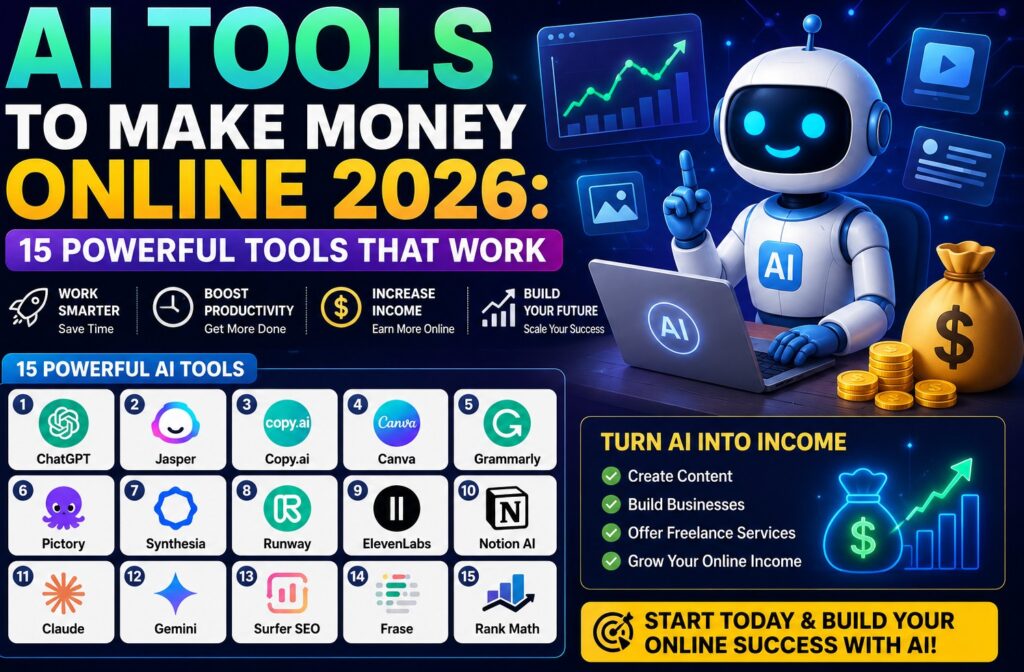
Artificial intelligence is changing how people work online. From writing and graphic design to research, video creation, social media management, and SEO, AI tools to make money online can help reduce repetitive work and make certain tasks easier to manage.
But there is an important point to understand before choosing an AI tool: AI does not automatically make money for you. The real opportunity comes from using AI to solve a problem, provide a useful service, create a product, build an audience, or improve an existing business.
In this guide, we examine practical AI tools to make money online in 2026 and explain what each tool can actually help you do. We also look at limitations, human review, accuracy, privacy, licensing, and practical ways to use AI responsibly.
Whether you are a freelancer, blogger, content creator, student, entrepreneur, social media manager, or small business owner, the goal is not to collect dozens of AI subscriptions. The goal is to find tools that fit your workflow and help you produce useful work.
My Perspective on Using AI to Make Money Online
The rapid growth of artificial intelligence has created a huge number of new tools. Every week, users encounter new AI writing assistants, image generators, video platforms, research tools, productivity apps, and business solutions.
This can make it tempting to keep searching for the one AI tool that will suddenly create an online income stream.
A more practical approach is to start with the skill, service, product, or problem you want to work on and then choose an AI tool that can support that activity.
For example, if you want to become a freelance writer, you could use an AI assistant to brainstorm topics, organize ideas, create an initial outline, or improve the clarity of a draft. However, you still need to understand the subject, verify important information, edit the final work, and make sure the content meets the client’s requirements.
The same principle applies to graphic design, video creation, blogging, social media management, virtual assistance, digital products, and online education.
AI can help you work more efficiently, but your judgment, creativity, communication, research, and quality control remain important.
What Makes an AI Tool Useful?
At AI Compare Guide, we do not consider an AI platform useful simply because it has a long list of features. We look at how those features can be applied to practical tasks.
- Purpose: What problem does the AI tool solve?
- Ease of use: Can the intended user learn and operate it without unnecessary difficulty?
- Output quality: Is the result useful after appropriate human review?
- Productivity: Can the tool reduce repetitive work or save meaningful time?
- Limitations: What can the tool not do reliably?
- Cost: Does the pricing make sense for the intended use?
- Privacy: What information should users avoid uploading?
- Licensing: Are there usage or commercial considerations users should understand?
This approach helps us focus on practical usefulness instead of making unsupported claims about how much money someone can earn from an AI tool.
For more information about our evaluation process, visit
How We Test AI Tools at AI Compare Guide.
How to Start Using AI for Online Income
If you are learning how to make money with AI, the first question should not be, “Which AI tool will make me rich?”
A better question is:
What useful problem can I solve, and which AI tool can help me solve it more efficiently?
Start by identifying your skills, interests, or an area you are willing to learn.
- Writing and editing
- Graphic design
- Video creation
- Social media management
- Research
- SEO and blogging
- Virtual assistance
- Digital product creation
- Online education
- Marketing and business support
Once you identify the type of work you want to do, choose an AI tool that supports that particular workflow.
Build an AI-Assisted Workflow
A simple AI income workflow can look like this:
- Choose a skill or service.
- Identify a problem that people or businesses need solved.
- Choose an AI tool that can assist with the work.
- Learn how to use the tool effectively.
- Create the first version of your work.
- Fact-check, edit, and improve the output.
- Present the finished work professionally.
- Offer the service or product to an appropriate audience.
This approach is more realistic than expecting an AI application to generate income without human effort.
Why AI Tools to Make Money Online Are Growing So Quickly
Artificial intelligence is becoming part of many digital workflows. Writers, designers, marketers, researchers, video creators, entrepreneurs, and business owners can use AI-assisted software to handle certain repetitive tasks.
A blogger, for example, may use AI to brainstorm topics, organize an article structure, generate research questions, improve a draft, or summarize information for further review.
A freelancer may use AI to organize information, prepare a first draft, develop ideas, summarize documents, or assist with repetitive administrative work.
A video creator may use AI-assisted software for scripts, captions, narration, editing, or other parts of production.
The useful question is therefore not simply whether an AI tool is fast. The more important question is whether it helps you complete a real task more efficiently while maintaining the quality of the final result.
AI Can Support Different Online Business Models
There are several ways people may incorporate AI into online work. These include freelancing, blogging, affiliate marketing, digital products, YouTube content, social media services, online courses, consulting, and business support.
However, the role of AI differs from one business model to another.
For a freelancer, AI may help with research or drafting. For a blogger, it may assist with brainstorming and content organization. For a designer, AI features may help generate ideas or speed up certain design tasks.
The human operator remains responsible for deciding what is useful, what is accurate, and what should ultimately be delivered or published.
AI Tools to Make Money Online for Content Creation
Content creation is one of the most common areas where artificial intelligence can provide assistance. Bloggers, writers, marketers, social media managers, educators, and freelance creators can use AI tools to brainstorm ideas, organize information, improve drafts, and reduce repetitive work.
However, using AI for content creation does not mean publishing raw AI-generated material without review.
Useful content should provide value to the reader. It should be relevant, understandable, accurate, properly edited, and created with a clear purpose.

1. ChatGPT
ChatGPT is a general-purpose AI assistant that can support a wide range of tasks, including brainstorming, writing, summarization, research planning, editing, coding, and content development.
For someone interested in using AI tools for online income, ChatGPT can become part of a workflow rather than the entire workflow.
A freelance writer, for example, could use it to brainstorm article topics, organize an outline, develop questions for research, improve the clarity of an existing draft, or create alternative explanations.
A blogger could use it during the planning stage of an article while still performing independent research and reviewing the final content before publication.
The important point is that AI-generated information should not automatically be treated as accurate. Important facts, statistics, quotations, dates, technical information, and other claims should be checked before they are published or used for an important decision.
How ChatGPT Can Support an Online Income Workflow
- Brainstorming content ideas
- Creating article outlines
- Developing research questions
- Improving the clarity of existing writing
- Summarizing information for further review
- Generating social media content ideas
- Creating business documents and drafts
- Assisting with repetitive writing tasks
How We Test AI Assistants
When evaluating a general-purpose AI assistant, we look beyond the number of features advertised. We consider whether the tool can handle realistic tasks, the quality and consistency of its responses, how much human editing is required, how easy it is to use, and what limitations users should know before relying on it.
We also consider whether the tool is genuinely useful for the intended audience rather than assuming that every feature will be valuable to every user.
Useful for: Writers, bloggers, freelancers, students, researchers, marketers, creators, and online business owners.
2. Google Gemini
Google Gemini is an AI assistant that can be used for tasks such as brainstorming, writing, summarization, planning, research assistance, and productivity.
For online workers, an AI assistant like Gemini can help organize ideas, prepare an initial outline, summarize information, develop research questions, and support different stages of a content or business workflow.
However, AI-generated information should still be reviewed. This is particularly important when dealing with statistics, current events, quotations, financial information, technical claims, or other information where accuracy matters.
How Gemini Can Support Online Work
- Brainstorming business and content ideas
- Research planning
- Content outlining
- Document summarization
- Planning and organization
- Writing and editing assistance
- Idea development
- Productivity tasks
What We Check When Testing Gemini
Our evaluation focuses on practical use rather than simply counting features. We consider ease of use, response quality, consistency, usefulness for real tasks, limitations, and the amount of human verification needed before the output can be trusted for publication or business use.
We also consider whether a feature actually improves a user’s workflow or simply adds another option that may not be necessary.
Useful for: Research, brainstorming, planning, productivity, writing assistance, and general business tasks.
3. Canva AI
Canva combines traditional graphic design tools with AI-assisted features that can help users create presentations, social media graphics, marketing materials, documents, videos, and other visual content.
This makes Canva AI relevant to freelancers, bloggers, marketers, social media managers, entrepreneurs, and digital-product creators who need visual content as part of their online work.
For example, a freelancer could use Canva to prepare social media graphics for a client. A blogger could create supporting visuals for an article. A digital-product creator could design worksheets, presentations, templates, planners, or other visual resources.
Ways Canva AI Can Support Online Income
- Create social media graphics for clients
- Design presentation materials
- Create marketing visuals
- Prepare ebook and lead-magnet designs
- Create templates and digital resources
- Design graphics for blogs and websites
- Support social media management services
Users should review their finished designs carefully and check the current licensing and usage terms for assets they plan to use commercially. AI features, templates, stock assets, and licensing conditions can change over time.
How We Test AI Design Tools
When testing an AI-assisted design platform, we look at how easily a user can complete a real design task, the quality and usefulness of the resulting design, how much editing is required, the available workflow features, and any important licensing or usage considerations.
We do not assume that a large template library or a long list of AI features automatically makes a design platform suitable for every user.
Useful for: Graphic designers, bloggers, marketers, freelancers, social media managers, entrepreneurs, and digital-product creators.
Why Human Review Matters When Using AI Tools
One of the biggest mistakes beginners can make when using AI tools to make money online is assuming that faster content generation means less responsibility.
AI can help you produce a draft quickly, but the draft may still contain errors, weak explanations, irrelevant information, repetitive wording, or unsupported claims.
Human review is therefore an important part of an AI-assisted workflow.
If you are creating an article, check the facts and improve the writing. If you are designing a graphic, check the layout and licensing requirements. If you are producing a video, review the script, visuals, narration, captions, and final presentation.
This is also an important part of how we approach AI tool testing at AI Compare Guide. We consider not only what a tool can generate, but also what it takes to turn that output into useful, accurate, original, and practical work.
AI Should Assist Your Skills, Not Replace Your Judgment
The strongest AI-assisted workflows combine technology with human knowledge.
Instead of asking AI to do everything, use it where it provides genuine value. Let it help with repetitive tasks, brainstorming, organization, research assistance, drafting, or production while you remain responsible for the decisions and final quality.
This approach can help you build a more sustainable online workflow without making unrealistic promises about AI-generated income.
AI Tools to Make Money Online for YouTube and Video Content
Video has become an important part of online content, marketing, education, and entertainment. For creators and freelancers, AI video tools can assist with tasks such as script development, video production, editing, captions, narration, and content repurposing.
This does not mean that AI can replace the entire video-production process. A successful video still needs a useful idea, a clear message, appropriate visuals, good pacing, and human quality control.
For someone learning how to make money with AI, video tools can therefore be useful when they are connected to a real service or content strategy.
4. Pictory AI
Pictory AI is designed to help users create and edit video content with AI-assisted features. It can be useful for creators, marketers, educators, bloggers, and freelancers who want to turn written content or ideas into video-based content.
For example, a blogger could repurpose an existing article into a video, while a social media manager could use video creation tools as part of a client’s content workflow.
How Pictory AI Can Support Online Work
- Repurpose written content into video
- Create videos from scripts or text
- Produce content for social media
- Create educational video material
- Support marketing video production
- Help freelancers offer video-content services
How We Test Pictory AI
When evaluating an AI video platform, we look at how easily a user can move from an idea or script to a usable video. We consider the editing workflow, available AI-assisted features, quality of the resulting video, customization options, ease of use, and how much manual editing is required before publishing.
We also consider whether the tool is appropriate for the intended type of video rather than assuming that one platform is suitable for every creator.
Useful for: Bloggers, marketers, educators, social media managers, content creators, and freelancers.
5. Synthesia
Synthesia is an AI video platform that focuses on creating videos using AI avatars and synthetic voices. This type of technology can be useful for businesses, educators, trainers, marketers, and creators who need presentation-style video content.
Instead of recording every video traditionally, a user can create certain types of instructional or business content using an AI-assisted production workflow.
Potential Online Uses for Synthesia
- Training and instructional videos
- Business presentations
- Educational content
- Product demonstrations
- Internal company communication
- Marketing and explainer content
What We Test
When testing AI avatar and presentation-video platforms, we look at the quality and naturalness of the generated presentation, voice clarity, customization options, ease of creating a video, editing controls, and the amount of human review required.
We also pay attention to the platform’s current usage terms and any restrictions that may apply to generated voices, avatars, media, or commercial use.
Useful for: Businesses, educators, trainers, marketers, course creators, and professional content producers.
6. Runway AI
Runway is an AI-powered creative platform that provides tools for generating and manipulating visual content. Its capabilities can be useful for video creators, designers, filmmakers, marketers, and other creative professionals experimenting with AI-assisted production.
For freelancers, the value of a tool like Runway depends on whether its features can be incorporated into a real production workflow. AI-generated visuals may be useful for certain creative projects, but the final result still needs direction, editing, and quality control.
Ways Runway AI Can Support Creators
- Generate or modify visual content
- Experiment with AI-assisted video production
- Create visual concepts
- Support creative projects
- Develop promotional visuals
- Assist video-production workflows
How We Test AI Video Generation Tools
Our testing focuses on practical creative tasks. We consider output quality, consistency, control over the result, editing flexibility, ease of use, generation limitations, and how much additional work is required to produce a finished piece of content.
We also distinguish between an impressive demonstration and a tool that can reliably support repeated professional work.
Useful for: Video creators, designers, marketers, filmmakers, and creative freelancers.
7. ElevenLabs
AI voice technology has created new possibilities for video creators, podcasters, educators, marketers, and businesses. ElevenLabs is known for AI-assisted voice and audio tools that can be incorporated into different types of content production.
For someone offering video or audio services, an AI voice platform may help with narration and other production tasks. However, users should understand the platform’s current terms, voice options, commercial-use conditions, and applicable restrictions before using generated audio professionally.
How AI Voice Tools Can Support Online Income
- Video narration
- Educational content
- Marketing videos
- Explainer videos
- Podcast and audio projects
- Content localization and voice production
What We Test
When testing AI voice tools, we consider voice quality, pronunciation, clarity, available controls, ease of editing, consistency, workflow speed, and how much post-production is required.
We also consider ethical and licensing issues. Users should not assume that an AI voice can be used in every situation simply because the technology can generate it.
Useful for: YouTubers, video creators, educators, marketers, podcasters, and audio-content freelancers.
AI Tools for Freelancers and Online Professionals
Freelancing is another area where AI tools to make money online can become useful. Instead of selling “AI” itself, a freelancer can use AI to improve an existing service.
For example, a writer can use AI to assist with research and drafting. A social media manager can use AI to brainstorm content ideas. A virtual assistant can use AI to organize information and repetitive tasks. A designer can use AI-assisted features during the creative process.
The client is generally paying for the finished solution, not simply for the fact that an AI tool was used.
AI for Freelance Writing
AI writing assistants can help freelancers brainstorm ideas, create outlines, improve drafts, summarize information, and explore different ways of explaining a subject.
However, simply generating an article and delivering it without checking the content can create quality problems. Professional writing still requires research, editing, originality, appropriate tone, and attention to the client’s instructions.
How We Test AI Writing Tools
We test AI writing tools using practical writing tasks rather than judging them solely by how impressive a demonstration looks. We examine clarity, usefulness, consistency, editing requirements, ability to follow instructions, and the amount of human input required to produce a final piece of work.
We also look for limitations such as repetitive wording, factual errors, weak context, or outputs that require substantial rewriting.
Useful for: Freelance writers, bloggers, marketers, copywriters, students, and content teams.
AI for Virtual Assistance and Administrative Work
Virtual assistants perform many repetitive tasks, including organizing information, preparing documents, scheduling, research, customer communication, and data organization. Some AI tools can assist with parts of these workflows.
For example, AI may help summarize a long document, organize notes, create a first draft of an email, or structure information that still needs to be reviewed by a human.
This can make AI useful for freelancers who offer administrative or virtual-assistance services.
How We Test AI Productivity Tools
For productivity and virtual-assistance tools, we focus on whether the tool actually reduces repetitive work. We consider ease of use, accuracy, time savings, integration with the workflow, privacy considerations, and the amount of human checking required.
A tool that creates additional work through frequent corrections may not provide the same practical value as its feature list suggests.
Useful for: Virtual assistants, entrepreneurs, small businesses, freelancers, and administrative professionals.
AI for Social Media Management
Social media managers can use AI to assist with content ideas, captions, content calendars, campaign brainstorming, repurposing, and other repetitive activities.
However, effective social media content still needs a clear understanding of the target audience, platform, brand voice, current trends, and business objectives.
AI can help generate options, but a human should decide what is appropriate to publish.
Practical Social Media Workflow
- Identify the target audience.
- Choose a content goal.
- Use AI to brainstorm ideas.
- Develop the strongest ideas into content.
- Edit the content for the brand and audience.
- Create supporting visuals.
- Check facts and claims.
- Publish and monitor the results.
This approach turns AI into an assistant within a broader social media workflow rather than treating AI-generated posts as finished marketing campaigns.
Practical Ways to Use AI Tools to Make Money Online
The tools discussed so far can support several different online income models. The important thing is to connect the technology to something useful that people or businesses need.
1. Offer AI-Assisted Freelance Services
You can combine AI with a skill such as writing, graphic design, video editing, research, social media management, or virtual assistance.
The service should be based on the result you provide rather than simply selling access to an AI tool.
2. Build an Affiliate Website
AI can assist with brainstorming, research organization, content planning, editing, and other parts of an affiliate website workflow.
However, an affiliate website still needs useful content, original value, appropriate product information, transparent disclosures, and an audience.
For a broader collection of AI tools for different users, visit
Best AI Tools for Students and Businesses.
3. Create Digital Products
AI can assist with brainstorming and developing certain digital products such as templates, worksheets, checklists, educational resources, and other useful materials.
The product should solve a genuine problem rather than simply package unedited AI output.
4. Manage Social Media Content for Businesses
Small businesses may need help planning and producing social media content. AI can assist with brainstorming, captions, content calendars, and visual concepts while the human creator manages strategy, brand consistency, editing, and publication.
5. Create YouTube Content
AI can assist with research planning, script development, video editing, narration, captions, thumbnails, and content repurposing.
However, successful video content still requires a clear idea, useful information or entertainment, audience understanding, and consistent quality.
6. Provide AI-Assisted Voice and Video Services
Creators can incorporate AI voice and video tools into services such as narration, explainer videos, promotional content, educational videos, and social media production.
Always review the current commercial-use and licensing requirements of the specific platform before offering such services.
7. Create Educational Content
If you understand a subject well, AI can assist with lesson planning, brainstorming, examples, quizzes, explanations, and content organization.
The creator should still verify important information and make sure the finished educational material provides genuine value.
8. Help Small Businesses With AI Workflows
Some businesses may need help identifying repetitive tasks that can be supported by AI. This can include documentation, content workflows, customer communication drafts, research organization, and internal productivity processes.
This type of service requires more than knowing how to operate an AI chatbot. You need to understand the business problem and determine whether AI is actually an appropriate solution.
A Simple AI Income Formula
Skill + Problem + AI Assistance + Human Review + Customer Value = A Practical AI-Assisted Business Opportunity
The formula does not guarantee income. It simply shows why the tool itself is only one part of an online business.
Use AI Responsibly When Building Online Income
Using AI for online work also creates responsibilities. Do not assume that everything generated by an AI platform can automatically be published, sold, or used commercially without checking.
Before using an AI-generated result professionally, consider:
- Whether the information is accurate
- Whether the content needs additional research
- Whether personal or confidential information was uploaded
- Whether the generated material meets the platform’s current terms
- Whether third-party assets have appropriate licensing
- Whether the final work has been reviewed by a human
- Whether the content provides genuine value to the intended audience
These checks are particularly important when using AI in freelance work, commercial content, websites, marketing campaigns, and digital products.
Summary
AI tools can support many online income activities, from freelance writing and social media management to video production and virtual assistance. But the tool is only one part of the process.
The strongest workflow is usually the one that combines an appropriate AI tool with human expertise, quality control, research, creativity, and a clear understanding of what the customer or audience actually needs.
AI Tools to Make Money Online for Bloggers and Website Owners
Blogging remains one of the areas where AI can support several stages of an online business. From topic research and content planning to SEO, editing, and content optimization, the right AI tools to make money online can help website owners manage repetitive parts of their workflow.
However, AI should not become a substitute for useful information and original thinking. A website still needs content that answers real questions, provides value, demonstrates experience or research, and is written for people rather than simply produced to target search engines.
For bloggers using AI, a sensible workflow is to use technology for assistance while keeping research, fact-checking, editing, and final publishing decisions under human control.
How AI Can Support a Blogging Workflow
- Research the audience and identify a genuine topic.
- Develop useful questions that the article should answer.
- Use AI to brainstorm possible angles and subtopics.
- Conduct independent research and verify important information.
- Create and edit the article with the reader in mind.
- Use SEO tools to identify possible optimization opportunities.
- Review headings, links, images, metadata, and readability.
- Perform a final human quality check before publication.
This approach can help prevent one of the biggest problems with AI-assisted blogging: publishing large amounts of generic content without enough original value.
8. Surfer SEO
Surfer SEO is an SEO and content optimization platform designed to help users analyze and improve web content. For bloggers, publishers, agencies, and content marketers, tools in this category can help identify areas where an article may need improvement.
SEO optimization can be useful when it supports a good article. It should not become an excuse to add unnecessary keywords, repeat phrases unnaturally, or write primarily for search engines.
How Surfer SEO Can Support Online Work
- Content optimization
- Keyword and topic research
- Content planning
- On-page SEO analysis
- Content improvement
- SEO workflow support for clients
How We Test SEO Tools
When we test an SEO platform, we focus on practical usefulness rather than treating a high optimization score as proof that an article will rank.
We consider how useful the recommendations are, how easy they are to understand, how well they fit a real content workflow, and whether following the recommendations can improve the article without making the writing unnatural.
We also distinguish between SEO recommendations and guaranteed search results. No content optimization tool can guarantee a particular Google ranking or amount of traffic.
Useful for: Bloggers, SEO professionals, content marketers, publishers, agencies, and website owners.
9. Frase
Frase is a content and SEO platform that can assist with researching topics, developing content briefs, and optimizing articles. It can be useful for publishers and content creators who want to organize their research and content-production process.
For a blogger, a content optimization platform can help identify questions and topics that may deserve attention. The writer should still determine what information is accurate, useful, relevant, and appropriate for the intended reader.
How Frase Can Support an Online Content Business
- Create content briefs
- Research topics
- Identify questions to address
- Organize content ideas
- Assist with content optimization
- Support client SEO services
What We Test
When evaluating content research and optimization tools, we look at the usefulness of their recommendations, the clarity of their workflow, the quality of the research assistance, and how much human judgment is still required.
We also check whether the tool encourages useful content or simply encourages users to chase optimization metrics.
Useful for: Bloggers, content writers, SEO professionals, publishers, and agencies.
AI Tools for Bloggers, Content Creators, and Website Owners
10. Claude AI
Claude is an AI assistant developed by Anthropic that can help with writing, research, brainstorming, summarization, editing, coding, and other knowledge-based tasks. For bloggers, freelancers, marketers, and online business owners, Claude can become part of a broader workflow for creating and improving digital content.
What Can You Use Claude For?
- Drafting and improving blog posts
- Brainstorming content ideas and headlines
- Summarizing long documents and research material
- Rewriting and editing existing content
- Creating content outlines and briefs
- Developing social media content
- Analyzing information and organizing ideas
- Assisting with coding and technical tasks
How Claude Can Help You Make Money Online
Claude can support several online services where writing, research, organization, or analysis is involved. For example, a freelancer could use it to brainstorm article ideas, prepare an initial content outline, improve a draft, summarize research, or organize information for a client project.
Bloggers can also use Claude as part of their content workflow. It can help move an idea from brainstorming to outline, drafting, editing, and refinement. However, publishing AI-generated text without human review is not a good content strategy.
The most useful approach is to treat Claude as an AI-assisted productivity tool. Your expertise, original ideas, fact-checking, editing, and understanding of your audience should remain central to the final work.
Claude for Freelancers and Content Creators
Freelancers can incorporate Claude into services such as content writing, research assistance, editing, documentation, social media planning, and business communication. The exact value depends on the freelancer’s ability to turn AI assistance into useful, accurate, and original work for clients.
How We Test Claude
At AI Compare Guide, we evaluate AI tools based on practical use rather than marketing claims. For Claude, our assessment considers writing quality, usefulness for research and brainstorming, ease of use, consistency of responses, ability to follow instructions, limitations, and the amount of human editing required before the output is ready for publication or client use.
We also consider whether the tool fits realistic workflows for bloggers, freelancers, content creators, students, and small businesses.
Things to Consider Before Using Claude
Claude can produce useful results, but its responses can still contain errors, incomplete information, or conclusions that require verification. Users should fact-check important claims and review generated content before publishing it or using it for business purposes.
Features, usage limits, pricing, and available capabilities can also change over time. Always check Anthropic’s current information before choosing a plan or relying on a specific feature.
11. Notion AI
Notion AI combines AI assistance with the Notion workspace, making it useful for writers, freelancers, entrepreneurs, students, content creators, and small business owners who need to organize information and turn ideas into usable content.
For people looking for AI tools to make money online, Notion AI can support research, content planning, project management, brainstorming, summarization, and documentation. It can help reduce the amount of time spent on repetitive tasks while keeping projects organized.
What Can You Use Notion AI For?
- Planning blog content and content calendars
- Organizing freelance projects
- Summarizing research and notes
- Creating outlines and content briefs
- Managing business information
- Creating standard operating procedures
- Brainstorming ideas for digital products
How Notion AI Can Support Online Income
A freelancer can use Notion AI to organize client projects, prepare content briefs, document workflows, and manage multiple assignments. A blogger can use it to structure research and maintain a publishing calendar, while a small business owner can use it to organize processes and internal documentation.
However, AI-generated information should still be reviewed by a human before it is published or used for important business decisions.
How We Test Notion AI
At AI Compare Guide, we assess tools such as Notion AI based on practical usefulness, ease of use, output quality, workflow integration, limitations, available features, and whether the tool provides meaningful value for its intended users.
12. Descript
Descript is an AI-powered audio and video editing platform designed around text-based editing. This can make video production easier for creators who want to edit spoken content without relying entirely on traditional video-editing workflows.
For YouTubers, podcasters, educators, marketers, and freelancers, Descript can be useful when producing videos, podcasts, tutorials, interviews, and other forms of spoken content.
What Can You Use Descript For?
- Editing videos through transcripts
- Creating and editing podcast content
- Working with recorded interviews
- Removing unwanted sections from spoken content
- Creating short-form content from longer recordings
- Preparing educational videos and tutorials
- Repurposing existing audio and video content
How Descript Can Help You Make Money Online
Video editors and content freelancers can use tools such as Descript to speed up parts of their production workflow. Instead of manually working through every spoken section of a recording, text-based editing can make certain tasks faster.
A freelancer could potentially use this workflow when providing podcast editing, YouTube editing, video repurposing, or social-media content services.
The important distinction is that the tool does not create an income stream by itself. Your ability to provide a useful service, find clients, deliver quality work, and manage your business still matters.
How We Test Descript
We look at the practical editing workflow, ease of use, transcription-based editing, output quality, useful AI features, limitations, and how effectively the platform can support real content-production tasks.
13. Copy.ai
Copy.ai is an AI-powered platform designed to assist with marketing and business content. It can be useful for people who regularly create sales copy, marketing materials, social posts, emails, and other business communications.
For freelancers and small businesses, AI writing tools can reduce the time required to create first drafts and generate ideas. However, the output should be reviewed and edited before being delivered to clients or published.
What Can You Use Copy.ai For?
- Marketing copy and promotional content
- Social media content ideas
- Email and business communications
- Content brainstorming
- Product and service descriptions
- Sales and marketing workflows
- Creating first drafts for client projects
How Copy.ai Can Support Freelancers
A freelance writer or digital marketer can use AI assistance to speed up research, brainstorming, outlining, and first-draft creation. This can make it easier to handle repetitive parts of a content workflow while leaving the final editing and quality control to the human creator.
For anyone using AI-generated content commercially, it is important to review accuracy, originality, brand voice, factual claims, and any applicable usage or licensing terms.
How We Test Copy.ai
Our testing focuses on writing quality, practical marketing workflows, ease of use, usefulness for different content tasks, consistency of results, editing requirements, and the limitations users should understand before relying on the tool.
14. Jasper
Jasper is an AI platform focused heavily on marketing and business content. It can assist teams and individual creators with content planning, marketing copy, campaign ideas, and other business-focused writing tasks.
For freelancers and marketers, Jasper can be useful when creating multiple pieces of related content while trying to maintain a consistent brand voice and marketing message.
What Can You Use Jasper For?
- Marketing content
- Campaign brainstorming
- Blog and article drafts
- Social media content
- Marketing copy
- Content planning
- Brand-focused communications
How Jasper Can Support Online Income
Freelance marketers and content creators can use AI-assisted workflows to complete certain repetitive tasks more efficiently. For example, a freelancer managing social media or marketing campaigns may use AI to generate initial ideas and drafts before applying human editing and strategy.
The value comes from the service you provide, not simply from having access to the software. Strong research, creativity, fact-checking, editing, and client communication remain essential.
How We Test Jasper
We evaluate Jasper based on content quality, marketing usefulness, workflow features, ease of use, consistency, customization, editing requirements, and practical value for creators and businesses.
15. Adobe Express
Adobe Express provides accessible design and content-creation tools that can help users create graphics, social media content, promotional materials, presentations, and other visual assets.
For freelancers, creators, marketers, and small businesses, visual content can be an important part of an online business. Adobe Express can help simplify some design tasks without requiring advanced professional design skills.
What Can You Use Adobe Express For?
- Social media graphics
- Marketing visuals
- Promotional materials
- Presentations
- Short-form visual content
- Branding materials
- Content for online campaigns
How Adobe Express Can Help You Make Money Online
Freelancers can use design tools to create social media graphics, promotional materials, marketing assets, and other visual content for clients. Creators can also use visual-design software to improve the presentation of their own websites, digital products, YouTube channels, and social-media accounts.
As with other AI-assisted tools, the software should be treated as part of a larger workflow rather than as an automatic income generator.
How We Test Adobe Express
We assess practical design capabilities, ease of use, available creative features, output quality, workflow efficiency, customization options, and how useful the platform is for creators and small businesses.
Now that we have covered 15 AI tools, the next step is understanding how these tools can fit into a realistic online-income workflow. The goal is not to use every tool at once, but to choose the tools that match your skills, audience, business model, and the type of service or content you want to create.
Practical Ways to Make Money With AI Tools
There are many discussions online about how to make money with AI, but the basic principle is straightforward: use AI to help create something useful that people or businesses are willing to pay for, or use it to improve an existing business model.
Here are several practical approaches.
1. Sell AI-Assisted Freelance Services
If you already have a marketable skill, AI can help you complete certain parts of the work more efficiently.
Examples include writing, graphic design, video editing, social media management, research, virtual assistance, presentation design, and content repurposing.
The important distinction is that you are providing a service or finished result. Simply having access to an AI tool is not itself a valuable freelance service.
2. Build an AI-Focused Affiliate Website
An affiliate website can publish useful reviews, comparisons, tutorials, guides, and other content around AI tools or a specific niche.
AI can assist with brainstorming and content organization, but successful affiliate content still requires research, honest explanations, useful comparisons, appropriate disclosures, and editorial judgment.
For a broader guide to AI tools, see
Best AI Tools for Students and Businesses.
3. Create Digital Products
AI can help with brainstorming and developing certain digital resources. Depending on your expertise, these might include templates, checklists, worksheets, planners, educational resources, prompts, guides, or other useful materials.
The product should have a clear purpose and provide value beyond simply reproducing generic AI-generated information.
4. Offer Social Media Management
Businesses often need help planning and producing social media content. AI can assist with brainstorming, captions, content calendars, repurposing, and visual concepts.
A professional service still requires strategy, editing, brand understanding, audience research, and human oversight.
5. Create YouTube and Video Content
AI can support different parts of video production, including research planning, scripting, narration, captions, editing, thumbnails, and content repurposing.
The creator still needs to provide a useful idea, clear presentation, appropriate visuals, and quality control.
6. Provide AI-Assisted Voice Services
AI voice technology can support certain video, narration, educational, and audio-production workflows.
Before offering AI-assisted voice services commercially, check the current terms and licensing requirements of the specific platform and make sure your intended use is permitted.
7. Create Online Educational Content
People with useful knowledge can use AI to assist with lesson planning, explanations, examples, research organization, and educational content development.
The creator remains responsible for checking the accuracy of the material and making sure students or customers receive useful information.
8. Help Businesses Build AI Workflows
Businesses may have repetitive tasks that can be supported by AI. A knowledgeable freelancer can help identify appropriate use cases and organize workflows around content, documentation, research, customer communication, or productivity.
This requires understanding the business problem first. AI should be introduced because it is useful for the particular workflow, not simply because it is popular.
A Complete AI-Assisted Online Income Workflow
One way to bring these ideas together is to create a simple workflow that moves from a skill to a customer solution.
- Choose your skill: Decide what you can offer or what you are willing to learn.
- Find a problem: Identify something an individual, creator, or business needs help with.
- Select an AI tool: Choose technology that genuinely supports the task.
- Produce the work: Use the AI tool as part of your workflow.
- Review the output: Check accuracy, quality, originality, privacy, and licensing considerations.
- Add human value: Edit, customize, improve, and adapt the result.
- Deliver the solution: Present the finished service or product professionally.
- Improve your workflow: Learn from feedback and adjust your process.
This workflow demonstrates an important principle: the AI tool is an assistant inside the business model, not the business model itself.
AI Tools vs. AI-Assisted Skills
An AI tool can generate text, images, video, audio, ideas, or other outputs. A skilled user can turn those outputs into something useful for a particular audience or customer.
That difference matters when thinking about AI tools to make money online. The opportunity generally comes from the value of the finished work, not from the mere existence of the technology.
Common Mistakes to Avoid When Using AI for Online Income
1. Expecting Instant Income
AI can reduce the time required for certain tasks, but it does not remove the need to learn skills, find customers, build an audience, create useful products, or consistently improve your work.
2. Publishing Raw AI-Generated Content
AI-generated content may contain factual errors, repetitive language, weak explanations, or information that does not fully answer the reader’s question. Review and improve important content before publication.
3. Using Too Many AI Tools
Having numerous AI subscriptions does not necessarily create a better workflow. Start with the tools that solve your actual problems and expand only when there is a clear need.
4. Ignoring Licensing and Usage Terms
Before using AI-generated images, voices, videos, templates, or other assets commercially, review the provider’s current terms and licensing information. Conditions can differ between platforms and subscription plans.
5. Uploading Sensitive Information Without Checking Privacy
Do not assume that every AI platform is appropriate for confidential business documents, private customer information, passwords, financial records, or other sensitive data. Review the service’s privacy and data-handling information before uploading information.
6. Treating AI Output as Automatically Correct
AI systems can produce convincing but inaccurate information. Important claims should be checked against reliable sources before being published or used for significant decisions.
7. Chasing SEO Scores Instead of Helping Readers
SEO tools can provide useful recommendations, but a website should not sacrifice readability or usefulness simply to achieve a higher optimization score.
How to Choose the Right AI Tool to Make Money Online
There is no single AI tool that is suitable for everyone. The right choice depends on the task, your existing skills, your budget, the type of work you want to produce, and the features you actually need.
Before subscribing to an AI service, ask yourself:
- What specific problem will this tool solve?
- How often will I use it?
- Does the free version meet my needs?
- What features are available in the paid plan?
- How much human editing will the output require?
- What are the current privacy and data-handling terms?
- Can I use the output commercially under the current terms?
- Does the tool fit into my existing workflow?
Test Before You Commit
Whenever possible, test an AI tool with a realistic task before paying for a subscription.
Do not judge a platform only by a promotional video or a list of impressive features. Try the workflow yourself and determine whether it actually saves time, improves quality, or provides capabilities you genuinely need.
This is also consistent with our approach at AI Compare Guide. We focus on practical testing and clearly communicating both the strengths and limitations of an AI tool.
AI Tools to Make Money Online: 15 Tools Compared
The following table provides a quick comparison of the 15 AI tools discussed in this guide. Each tool has different strengths, so the right choice depends on the type of content, service, or online business workflow you are building.
| AI Tool | Primary Use | Useful For | Potential Online Income Applications |
|---|---|---|---|
| ChatGPT | Writing, research, brainstorming and AI assistance | Bloggers, freelancers, students and businesses | Content writing, research services, digital products and business support |
| Google Gemini | AI assistance, research, writing and idea generation | Content creators, students, freelancers and businesses | Content creation, research assistance and productivity services |
| Canva AI | Graphic design and visual content creation | Creators, marketers, freelancers and small businesses | Social media graphics, marketing materials and design services |
| Pictory AI | AI-assisted video creation and editing | YouTubers, bloggers, marketers and video creators | Video production, content repurposing and freelance video services |
| Synthesia | AI-generated videos and digital presenters | Businesses, educators and content creators | Training videos, marketing content and business video services |
| Runway AI | AI video generation and creative editing | Video creators, filmmakers and digital artists | Video production, creative projects and client content |
| ElevenLabs | AI voice generation and audio production | Creators, podcasters, video producers and businesses | Voice-over services, narration, podcasts and video production |
| Surfer SEO | SEO research and content optimization | Bloggers, publishers, SEO professionals and businesses | SEO services, content optimization and website consulting |
| Frase | AI-assisted content research and optimization | Bloggers, writers, marketers and SEO professionals | Content writing, SEO services and content strategy |
| Claude | Writing, research, analysis and AI assistance | Writers, bloggers, freelancers and businesses | Content services, research assistance, editing and productivity workflows |
| Notion AI | Writing, organization and knowledge management | Freelancers, entrepreneurs, teams and content creators | Project management, content planning, documentation and business workflows |
| Descript | AI-assisted audio and video editing | Podcasters, YouTubers and video freelancers | Podcast editing, video editing and content repurposing |
| Copy.ai | Marketing and business content creation | Marketers, writers, freelancers and businesses | Marketing copy, social media content and freelance writing |
| Jasper | AI-assisted marketing and business content | Marketing teams, businesses and content creators | Marketing services, content production and campaign support |
| Adobe Express | Visual content and graphic design | Creators, marketers, freelancers and small businesses | Social media design, promotional graphics and visual content services |
Note: This table describes the primary use cases discussed in this guide. It does not assign income ratings or declare one tool better than another. AI tools change frequently, so always check the provider’s current features, pricing, terms, and availability before making a decision.
How AI Can Support a Complete Online Business Workflow
By now, it should be clear that AI tools to make money online are most useful when they become part of a larger workflow. An AI application can help with a particular task, but building an online business still requires planning, skills, research, communication, consistency, and attention to the needs of your audience or customers.
For example, a freelancer might use an AI writing assistant for brainstorming, a design platform for graphics, and an AI productivity tool for organizing projects. A blogger might combine research tools, writing assistance, SEO software, and graphic design tools.
The important thing is to create a workflow where every tool has a clear purpose.
A Simple AI-Assisted Business Workflow
- Research: Understand your audience, market, topic, or customer’s problem.
- Plan: Decide what you want to create or deliver.
- Create: Use appropriate AI tools to assist with the production process.
- Review: Check facts, quality, originality, privacy, and licensing considerations.
- Edit: Add your own expertise, experience, creativity, and context.
- Publish or deliver: Make the finished work available to your audience or customer.
- Measure: Look at useful feedback and performance data.
- Improve: Refine the workflow based on what you learn.
This process can be applied to freelancing, blogging, affiliate marketing, YouTube, digital products, social media management, and other online activities.
What to Consider Before Paying for an AI Tool
Many AI platforms offer free plans, trials, or paid subscriptions. Before spending money, consider whether the tool solves a problem that actually exists in your workflow.
1. Does the Tool Solve a Real Problem?
A long feature list does not necessarily make an AI platform useful to you. Identify the specific task you want the tool to improve and test it against that task.
2. Will You Use It Often Enough?
If you only need a feature occasionally, a free plan or alternative workflow may be sufficient. A paid subscription makes more sense when the tool provides capabilities you regularly need.
3. Does the Output Need Heavy Editing?
An AI tool may produce an impressive first draft but still require significant editing. Consider the total workflow rather than only the generation speed.
4. What Are the Current Terms?
Review the provider’s current pricing, privacy policy, commercial-use conditions, data practices, and licensing information before using the service for professional work.
5. Can the Tool Fit Into Your Existing Workflow?
A tool is more useful when it works naturally with the applications and processes you already use. Avoid adding software simply because it is currently popular.
How We Test AI Tools at AI Compare Guide
Choosing an AI tool can be difficult because different platforms often make similar claims. At AI Compare Guide, our goal is to make those differences easier to understand by focusing on practical use rather than simply repeating marketing descriptions.
When possible, we examine the tool according to the type of task it is designed to perform. A writing assistant, for example, should be considered differently from a video generator, SEO platform, image tool, or productivity application.
Our AI Tool Testing Process
1. We Identify the Main Purpose
First, we look at what the tool is designed to do and the type of user it is intended to serve.
This helps us determine whether its features are relevant to freelancers, bloggers, students, businesses, creators, marketers, or another audience.
2. We Test Practical Features
We focus on features that can be used in realistic workflows rather than simply listing everything available on the platform.
For example, an AI writing tool may be tested for drafting, editing, brainstorming, summarization, or instruction-following. A video tool may be examined for generation, editing, narration, captions, and customization.
3. We Consider Output Quality
AI-generated output can vary depending on the task, instructions, settings, and source material. We therefore consider whether the output is useful and how much human editing or correction may be necessary.
We do not assume that AI-generated content is automatically accurate or ready for publication.
4. We Look at Ease of Use
A powerful platform can still be difficult for a beginner to use. We consider the overall workflow, navigation, learning curve, and whether the important features are reasonably accessible.
5. We Examine Limitations
Every AI tool has limitations. Depending on the product, these may involve output quality, usage limits, available features, integrations, pricing, accuracy, customization, or other restrictions.
Our reviews should therefore explain limitations where they are relevant instead of presenting an AI product as perfect.
6. We Consider Cost and Plan Differences
AI platforms can offer different features at different subscription levels. We consider whether the available features are relevant to the intended user and encourage readers to verify current pricing before subscribing.
7. We Consider Privacy and Licensing
Users should understand how a platform handles information and what conditions may apply to generated or uploaded material. This can be especially important when AI tools are used for client work, business documents, confidential information, images, voices, videos, or other commercial projects.
8. We Add Human Judgment
AI tool testing is not simply about asking an application to produce an impressive result. We also consider what a human needs to do afterward.
If an output requires substantial fact-checking, editing, customization, or correction, that is part of the practical experience and should be taken into account.
Read the full editorial approach here:
How We Test AI Tools at AI Compare Guide.
The Future of AI and Online Work
AI is likely to continue changing how people create content, communicate, research information, design products, edit media, and manage businesses.
That does not necessarily mean that every task will become fully automated. In many situations, the most useful role for AI may be assisting people with repetitive or time-consuming parts of a larger workflow.
This creates an important opportunity for people who are willing to learn how to work with AI while developing skills that remain valuable: critical thinking, communication, creativity, research, problem-solving, subject knowledge, and customer understanding.
AI Skills Can Complement Existing Skills
You do not necessarily need to become an AI engineer to benefit from artificial intelligence.
A writer can learn AI-assisted writing workflows. A designer can learn AI-assisted design. A marketer can learn AI-supported research and content workflows. A video creator can learn AI-assisted production.
The combination of an existing skill and appropriate AI tools can create a more efficient way of working.
Frequently Asked Questions About AI Tools to Make Money Online
Can AI tools really help me make money online?
Yes, AI tools can assist with activities that are connected to online businesses and freelance services. They can support writing, design, video creation, research, SEO, social media management, productivity, and other tasks. However, an AI tool itself does not guarantee income. You still need a useful skill, product, service, audience, or customer problem to solve.
What are the best AI tools to make money online?
There is no single AI tool that is best for every person or business. The appropriate tool depends on what you want to accomplish. A writer may need a different tool from a video creator, graphic designer, blogger, or SEO professional. The tools discussed in this guide cover different use cases rather than serving the same purpose.
Can beginners use AI tools to make money online?
Beginners can use AI tools as part of learning and developing online skills. However, learning how to operate an AI platform is only one part of the process. Beginners should also develop the underlying skill they want to offer and learn how to review and improve AI-assisted work.
Can I make passive income with AI?
AI can assist with some activities involved in digital products, websites, content, affiliate marketing, and other business models. However, “passive income” should not be interpreted as guaranteed or effortless income. Most online businesses require some combination of planning, creation, maintenance, promotion, customer support, and improvement.
Should I pay for AI tools?
It depends on your needs. Before subscribing, consider the tasks you need to perform, the available free features, usage limits, pricing, workflow benefits, and whether the paid features justify the cost for your particular situation.
Can I use AI-generated content commercially?
Commercial use depends on the specific AI platform, the content involved, the subscription or plan, and applicable terms and laws. Always review the current terms and licensing information of the platform before using AI-generated text, images, audio, video, or other material commercially.
Does AI-generated content need human editing?
For important published or professional work, human review is highly useful. AI output can contain factual errors, irrelevant information, repetitive language, or other problems. Reviewing and improving the output helps ensure that the final material meets the intended standard.
Final Thoughts on AI Tools to Make Money Online in 2026
The growing number of AI tools to make money online creates more possibilities for people who want to work digitally. From writing and design to video production, SEO, social media, research, and productivity, AI can assist with many parts of an online workflow.
But the most important lesson is that the tool is not the business.
A successful online workflow still starts with a useful skill, a genuine problem, a clear audience or customer, and valuable work. AI can help you research, create, organize, edit, and improve that work, but human judgment remains essential.
Instead of chasing every new AI application, identify what you want to accomplish and choose technology that genuinely supports that goal.
Start small. Test the tools. Learn their limitations. Protect sensitive information. Check licensing requirements. Review AI-generated output. And continue developing the skills that allow you to turn technology into something genuinely useful.
Ready to Explore More AI Tools?
Explore our broader guide to AI tools and discover options for different types of users, businesses, creators, students, and online professionals.
About AI Compare Guide
AI Compare Guide is focused on helping readers understand artificial intelligence tools through practical reviews, comparisons, tutorials, and educational content.
Our goal is to explain what AI tools do, who they may be useful for, how they can fit into real workflows, and what limitations readers should consider before making decisions.
We aim to separate practical information from exaggerated promises and encourage readers to evaluate AI tools according to their own needs.
Learn more about our approach:
How We Test AI Tools at AI Compare Guide.
Keep Learning About AI
AI is developing quickly, so learning should not stop after choosing a single tool. Explore different workflows, test new features carefully, compare alternatives, and continue developing the human skills that make AI-assisted work useful.
If you are looking for more tools for work, study, content creation, and business, continue here:
Best AI Tools for Students and Businesses
Thank you for reading AI Compare Guide.
Osayamen Okuonghae
AI Researcher | Founder of AICompareGuide.com
Helping professionals and businesses make smarter decisions through
in-depth AI tool comparisons, feature breakdowns, and practical insights
on leading AI assistants like ChatGPT, Gemini, and Claude.
You are doing a great and wonderful job here