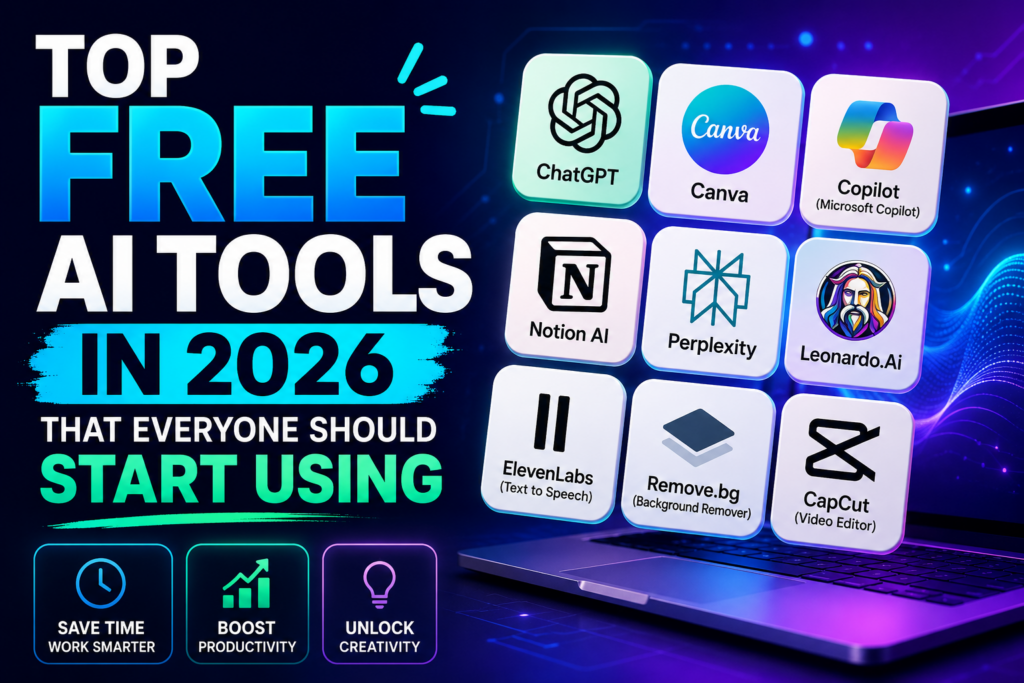
The top free AI tools in 2026 can help you write articles, research unfamiliar topics, create graphics, organize projects and complete everyday tasks more efficiently. Many popular AI platforms offer free access, allowing students, freelancers, content creators and small business owners to explore useful features without committing to a paid subscription.
However, free access does not always mean unlimited access. Some platforms restrict how many prompts you can send, how many images you can generate, or which advanced features you can use. Others provide basic features for free while reserving particular tools for paying subscribers.
This guide compares popular AI platforms for different everyday tasks. You will discover what each tool can help you accomplish, who may benefit most from using it, and what to check before relying on its free plan. The goal is not to suggest that one application can do everything, but to help you choose tools that suit your actual needs.
Which Free AI Tools Should You Try First?
If you are just starting, choose a tool based on the task you want to complete. ChatGPT or Gemini can help with general questions and brainstorming. Canva is useful for graphic design, while Grammarly can assist with writing and editing. Claude can help with writing and document analysis, and Perplexity can assist with web research.
My recommendation: Start with one general-purpose AI assistant and one specialised tool. Explore their free features before deciding whether you need a paid subscription.
My Perspective on Choosing Free AI Tools
When choosing AI tools, I would focus less on the number of applications available and more on the problems they can solve. A blogger, for example, may need help brainstorming topics, checking facts, editing drafts and preparing images. A student may be more interested in explanations, revision materials and research assistance.
You do not need a separate application for every small task. Begin with tools that address your most important needs, learn their limitations, and add another tool only when it offers a clear benefit.
One important point is that AI-generated content still requires human judgment. You should review important claims, correct errors, respect copyright, and make sure the final work reflects your own understanding and purpose.
How We Selected These Free AI Tools
This guide focuses on established AI platforms that serve practical purposes such as writing, research, graphic design, image creation and productivity. The selection considers the usefulness of available features, accessibility for beginners, range of applications and suitability for common tasks.
Free-plan availability and features can change. A platform may introduce usage limits, change its subscription structure or move a feature into a paid plan. For that reason, check the provider’s current terms before relying on a particular feature for regular work.
- Practical usefulness: Does the tool help with a recognisable task?
- Free access: Can users access meaningful features without immediately paying?
- Ease of use: Can a beginner get started without advanced technical knowledge?
- Task suitability: Is the platform appropriate for writing, research, design or another specific purpose?
- Limitations: Are there usage restrictions or premium features readers should consider?
- Verification: Can readers consult the official product website for current information?
This is a practical guide rather than a claim that every platform has won a controlled performance benchmark. Individual results can vary depending on the task, model, account, settings and available features.
Explore More AI Tools
Looking for AI tools for education, work and business? Our broader guide covers additional platforms and helps you explore options for different needs.
Top Free AI Tools in 2026 at a Glance
The table below gives you a starting point for comparing popular AI tools. A free plan may include restrictions, and some features mentioned in a product’s marketing may require a paid subscription. Check the official website for the latest details.
| AI Tool | Best Suited For | What to Check |
|---|---|---|
| ChatGPT | Writing, brainstorming, explanations and coding assistance | Message limits and access to specific features |
| Canva | Graphic design, presentations and social media content | AI usage limits and premium design elements |
| Google Gemini | General assistance, explanations and brainstorming | Model availability and account-specific limits |
| Claude | Writing, document analysis and detailed explanations | Usage limits and access to advanced features |
| Grammarly | Grammar, spelling and writing clarity | Which writing and generative AI features are included |
| Notion | Notes, project organisation and team workflows | Whether the AI features you need are included in your plan |
| Leonardo AI | AI-generated artwork and visual concepts | Generation credits, commercial-use terms and feature limits |
| Perplexity | Web research and source discovery | Search limits and access to advanced research features |
These tools are not direct substitutes for one another. For example, a writing assistant may not offer the same design capabilities as Canva, while an AI search tool serves a different purpose from a project-management workspace. Choose according to the task you need to complete.
1. ChatGPT: A Versatile Free AI Assistant
ChatGPT is a general-purpose AI assistant developed by OpenAI. It can help users brainstorm ideas, explain unfamiliar topics, draft text, summarise information, work through coding problems and organise projects.
For beginners, one of its main advantages is that you can describe a task in ordinary language rather than learning a complicated interface. You can ask for an explanation, request a draft, provide feedback and refine the result through follow-up questions.
What Can You Use ChatGPT For?
- Developing article ideas and outlines.
- Drafting emails, proposals and social media captions.
- Understanding difficult concepts through step-by-step explanations.
- Brainstorming business ideas and marketing approaches.
- Learning programming concepts and reviewing example code.
- Summarising text you provide.
- Preparing study questions and revision notes.
- Planning projects and organising tasks.
Who Should Consider ChatGPT?
ChatGPT may be useful for students, bloggers, freelancers, entrepreneurs and professionals who need one assistant for several different tasks. It can also help beginners develop ideas before they move into specialised applications.
What Are Its Limitations?
ChatGPT can make factual mistakes, misunderstand instructions or produce answers that sound convincing without being correct. Free access may also come with usage limits or restricted access to particular models and features. Review important information independently, especially when dealing with financial, legal, medical or other consequential decisions.
Official website: Explore ChatGPT
2. Canva AI: Create Graphics and Visual Content
Canva is a design platform that helps users create social media graphics, presentations, posters, documents, marketing materials and other visual content. Its AI-powered features can assist with generating design ideas, drafting text, creating images and speeding up parts of the design process.
For bloggers, small business owners, students and content creators, Canva can be particularly useful because it combines design templates with tools that make visual content creation more accessible. You do not need to be a professional graphic designer to get started.
What Can You Create with Canva?
- Blog graphics and featured images.
- Facebook posts and Instagram designs.
- YouTube thumbnails and channel graphics.
- Business presentations and educational slides.
- Flyers, posters and promotional materials.
- Simple marketing documents and visual reports.
- Short videos and other visual content.
Can You Use Canva AI for Free?
Canva offers free access to its design platform, but not every AI feature or design asset is available without payment. Some features have usage limits, while certain templates, images and advanced editing options may require a paid plan.
Before building a regular workflow around a particular AI feature, check whether it is included in your current plan. This is especially important if you create graphics frequently or need specific export options.
Who Should Use Canva?
Canva is worth exploring if you need attractive visual content for a blog, online shop, social media page, presentation or small business. It can also complement a writing assistant: you might draft a caption using ChatGPT and then design a matching graphic in Canva.

Official website: Explore Canva
Practical Tip for Bloggers
Use Canva to create a consistent visual identity for your website. Keep your featured images readable on mobile devices, use image dimensions that suit your WordPress theme, and avoid adding so much text to a graphic that it becomes difficult to understand.
If you want to explore more design features, read our Canva AI Features Tutorial.
3. Google Gemini: AI Assistance for Everyday Questions and Research
Google Gemini is an AI assistant that can help users understand unfamiliar subjects, brainstorm ideas, draft content, plan activities and work through questions. It is another option worth considering if you want a general-purpose assistant for everyday tasks.
Gemini can be useful when you need an explanation of a complicated topic, a starting point for research, a list of ideas or help organising information. Depending on the features available to your account, it may also support additional tasks involving files, images and Google’s wider ecosystem.
What Can You Use Gemini For?
- Explaining unfamiliar topics in simpler language.
- Generating ideas for articles, videos and projects.
- Drafting and revising written content.
- Creating study questions and revision materials.
- Planning projects and organising tasks.
- Summarising information you provide.
- Getting a starting point for further research.
Is Gemini Free?
Google provides access to Gemini without requiring every user to purchase a subscription, but the available models, usage limits and advanced capabilities can vary. Features associated with paid Google AI plans should not automatically be described as part of the free experience.
Check the current plan details before depending on a particular feature for schoolwork, business projects or regular content production.
Who May Benefit from Gemini?
Gemini may suit students, professionals and everyday users who want an assistant for questions, explanations and brainstorming. It can also be worth exploring if you already use Google services, although the integrations available to you will depend on your account and plan.
Important Limitations
Like other AI assistants, Gemini can provide inaccurate or incomplete information. Its answers should be treated as a starting point rather than automatic proof that a claim is true. For important research, follow up with reliable sources and verify dates, statistics and quotations independently.
Official website: Explore Google Gemini
Build a Useful AI Toolkit
You do not need to subscribe to several AI services immediately. Start with a general-purpose assistant, add a design tool if you create visual content, and consider a research or editing tool when you have a specific need.
For a broader comparison of AI platforms for different users, read our guide:
ChatGPT vs Canva vs Gemini: Which Should You Start With?
These three tools serve different purposes, so the right starting point depends on the work you want to do. The following table summarises their main uses rather than claiming that one platform is universally better than the others.
| Your Main Need | Tool to Explore | Why |
|---|---|---|
| Writing, brainstorming and explanations | ChatGPT | Supports a wide variety of text-based tasks. |
| Graphics, presentations and social media designs | Canva | Provides templates and visual design tools. |
| General questions and idea development | Gemini | Offers conversational assistance for many everyday tasks. |
| A combination of writing and design | ChatGPT + Canva | One can help prepare text while the other helps turn ideas into visual content. |
For example, if you run a blog, you could use ChatGPT to develop an article outline, Gemini to explore additional questions that need researching, and Canva to design a relevant featured image. You should still verify the information, edit the writing and ensure that any visual assets meet your website’s requirements.
There is no need to use all three for every project. Choose the simplest combination that gets the job done well.
More Free AI Tools for Writing, Editing and Research
General-purpose assistants and design platforms are useful starting points, but other AI tools focus on more specialised tasks. A writing assistant may help you refine a draft, a productivity workspace may help you organise a project, and an AI search platform may help you discover sources to investigate.
In the next part, we will look at Claude, Grammarly, Notion, Leonardo AI and Perplexity, including their practical uses, free-access considerations and limitations.
4. Claude AI: A Useful Free AI Tool for Writing and Document Analysis
Claude is an AI assistant developed by Anthropic. It can help users draft and revise text, analyse documents, explain complex subjects, brainstorm ideas and work through problems. It is worth considering if your work involves detailed writing, lengthy instructions or documents that require careful analysis.
For bloggers, students, freelancers and business owners, Claude can serve as a writing and thinking assistant. You can provide a draft and request improvements, ask it to explain a difficult passage, or use it to organise information into a clearer structure.
What Can You Use Claude For?
- Drafting and editing articles.
- Improving the structure of reports and proposals.
- Summarising documents you provide.
- Explaining complicated topics in simpler language.
- Brainstorming content ideas.
- Reviewing and explaining code.
- Organising notes into clear sections.
Does Claude Have a Free Plan?
Claude offers free access in supported locations, but usage limits and available features can vary. The free plan should not be confused with its paid subscriptions, which may provide higher usage allowances or additional capabilities.
If you intend to use Claude for a large project, check the current plan details first. Usage restrictions may affect how much work you can complete in a single session.
Who Should Consider Claude?
Claude may be useful for writers, researchers, students and professionals who want assistance with detailed explanations, document review or long-form writing. Its usefulness will depend on the task, the model available to your account and the quality of your instructions.
Limitations to Remember
Claude can still make factual errors, misunderstand context or overlook important details. Its output should be reviewed before publication or use in professional work. For academic research, verify important claims against reliable sources rather than treating an AI-generated explanation as a source in itself.
Official website: Explore Claude AI
Which Assistant Is Better for Your Work?
ChatGPT and Claude overlap in writing, brainstorming and document analysis, but neither is automatically the best choice for every task. Try both with the same instructions and compare the accuracy, usefulness and amount of editing their answers require.
Read our detailed comparison: ChatGPT vs Claude: Which AI Tool Is Better in 2026?
5. Grammarly: AI Assistance for Better Writing
Grammarly is a writing assistant designed to help users identify grammar, spelling and punctuation issues and improve the clarity of their writing. It can be useful when preparing emails, assignments, articles, business documents and other written material.
Although a general-purpose AI assistant can also revise text, a dedicated writing tool may fit more naturally into a workflow where you regularly check sentences and correct writing mistakes.
What Can Grammarly Help You Improve?
- Spelling and punctuation.
- Grammar and sentence construction.
- Clarity and readability.
- Word choice and conciseness.
- Professional emails and business communication.
- Drafts that need a final proofreading pass.
Can You Use Grammarly for Free?
Grammarly provides a free version, but the available suggestions and AI-powered features depend on the current plan. Some advanced writing assistance is reserved for paid users, so check the current feature list before relying on a particular capability.
Who Should Use Grammarly?
Grammarly is worth considering if you write frequently and want help identifying common mistakes. Students can use it to review their writing, while bloggers and freelancers can use it as part of their editing process.
However, proofreading tools do not replace careful editing. A grammatically correct sentence can still contain a false claim, an unclear argument or an inappropriate tone. Review the meaning of each suggestion before accepting it.
Official website: Explore Grammarly
A Practical Writing Workflow
You could use a general-purpose AI assistant to brainstorm an article, develop the first draft yourself with appropriate research, and then use Grammarly to identify possible grammar and clarity issues. Review the finished piece carefully so that the final version is accurate, original and consistent with your intended meaning.
6. Notion: Organise Notes, Tasks and Projects
Notion is a digital workspace that lets users organise notes, documents, databases, tasks and projects. Its AI capabilities can assist with selected writing, summarisation and information-management tasks, depending on the plan and features available to the account.
For freelancers, students, bloggers and small teams, a well-organised workspace can make it easier to keep track of ideas, deadlines and project information. Notion is particularly useful when your work involves many related notes or tasks that need to stay organised.
Ways to Use Notion
- Maintain a list of article ideas.
- Organise a content calendar.
- Track assignments and deadlines.
- Store research notes.
- Manage personal and business projects.
- Document procedures and recurring tasks.
- Coordinate work with other people.
What About Notion AI’s Free Availability?
Notion offers plans for different users, but access to its AI features is not necessarily unlimited or included in every free plan. The availability of AI tools, trial allowances and paid features can change.
Before choosing Notion specifically for AI assistance, check which AI features your account can use. You may still find the underlying workspace useful for organising projects even if particular AI capabilities require payment.
Who Should Consider Notion?
Notion may be a good fit for people who need a central place for planning and organising their work. For example, a blogger could keep article ideas, outlines, publication dates and research notes in one workspace instead of scattering them across several apps.
Official website: Explore Notion
Turn Your AI Skills into Practical Projects
AI tools can support tasks such as writing, research, design and planning. If you are interested in using these skills for online work, explore the opportunities and limitations discussed in our guide.
Read: AI Tools for Making Money Online →
Remember that using AI does not guarantee income. Results depend on your skills, the quality of your service, market demand and the effort you put into delivering value.
7. Leonardo AI: Generate Images and Visual Concepts
Leonardo AI is a platform for generating images and other visual content with AI. Users can describe a scene, character, product concept or illustration and use the generated results as a starting point for visual projects.
It may be useful to content creators, designers, bloggers and people developing visual concepts who want to explore image generation without creating every element manually.
What Can You Create with Leonardo AI?
- Illustrations and concept artwork.
- Visual ideas for creative projects.
- Characters and fictional environments.
- Concept images for products and campaigns.
- Artwork for selected digital projects.
- Visual assets for content planning.
Is Leonardo AI Free?
Leonardo AI has offered access through a credit-based model, but the amount of free access, generation limits and available features can change. Check the current account terms to understand how many generations are available and which uses are permitted.
If you plan to use generated images commercially, review the provider’s current terms and any applicable licensing restrictions. Do not assume that every generated image is automatically free of copyright, trademark or other legal concerns.
Who Should Use Leonardo AI?
Leonardo AI may be worth exploring if you need to develop visual concepts, illustrations or artwork. For straightforward social media designs and presentations, Canva may be more convenient; for more specialised AI image generation, Leonardo AI may offer a different set of options.
The right choice depends on the image you need, the level of editing required and the terms attached to your intended use.
Official website: Explore Leonardo AI
Tips for Better AI-Generated Images
- Describe the main subject clearly.
- Specify the intended setting, composition and visual style.
- Check the generated image for distorted details or unwanted text.
- Edit the result when necessary instead of assuming the first output is ready to publish.
- Confirm that the image suits your intended use and complies with the provider’s terms.
For a WordPress article, also optimise the image dimensions and file size. Add descriptive alternative text that explains the actual image rather than stuffing it with keywords.
8. Perplexity: An AI Tool for Research and Source Discovery
Perplexity is an AI-powered search and answer platform that can help users investigate questions and discover relevant online sources. It is particularly useful when you want to explore a subject and identify material that you can examine further.
Instead of treating research as a simple process of collecting AI-generated answers, use Perplexity to identify potentially useful sources, open the original pages and evaluate whether the evidence supports the claims being made.
What Can You Use Perplexity For?
- Exploring unfamiliar subjects.
- Finding sources for further investigation.
- Identifying background information about a topic.
- Comparing explanations from different sources.
- Researching business ideas and industry developments.
- Preparing questions for more detailed investigation.
Does Perplexity Offer Free Access?
Perplexity offers free access, but its usage limits and available research features may differ from those provided by paid plans. Check the current plan information to confirm which capabilities are available without payment.
Who Should Consider Perplexity?
Perplexity may be useful for students, writers, professionals and curious readers who want help discovering information online. It can be a starting point for research, but its answers should not be treated as automatically correct just because sources are displayed.
How to Verify AI Research
- Identify the specific factual claim you need to check.
- Open the cited source rather than relying only on the AI summary.
- Confirm that the source actually supports the claim.
- Check the publication date when the information may have changed.
- Compare important claims with other credible sources.
For academic work, consult appropriate primary sources, scholarly publications or materials recommended by your institution. For business decisions, favour authoritative and current information.
Official website: Explore Perplexity
Looking for AI Tools That Improve Your Workflow?
Research is only one part of a productive workflow. You may also benefit from tools that help with writing, planning, design and other everyday tasks.
How to Combine Free AI Tools for Better Results
You do not need to use every AI application available. In many cases, a small collection of tools that complement one another is enough to improve your workflow. The best combination depends on what you want to accomplish and which features you can access for free.
For example, a blogger may need help planning articles, researching information, editing drafts and creating images. A student may need explanations, revision materials and a way to organise assignments. A small business owner may be more interested in promotional graphics, customer communication and project planning.
Example 1: A Free AI Workflow for Bloggers
- Brainstorm ideas: Use ChatGPT or Gemini to generate possible article topics and questions readers may ask.
- Research the subject: Use Perplexity to discover potentially relevant sources, then open and verify the original material.
- Prepare the article: Develop your own outline and draft, using AI assistance where appropriate.
- Edit the writing: Use Grammarly to identify possible grammar, spelling and clarity problems.
- Create graphics: Use Canva to design a relevant featured image or supporting visual.
- Organise the project: Use a planning tool such as Notion if you need to track deadlines, article ideas and publication progress.
This workflow can reduce repetitive work, but it does not remove the need for original thinking, fact-checking, editing or a final quality review. Before publishing, ensure the article answers the reader’s question and adds useful information beyond a collection of AI-generated paragraphs.
Example 2: A Free AI Workflow for Students
- Ask an AI assistant to explain a difficult concept in simpler language.
- Request practice questions to test your understanding.
- Use a research tool to locate reliable supporting materials.
- Organise your notes and assignment deadlines in a workspace.
- Review your written work for clarity and grammatical errors.
Use AI to support learning rather than replace it. Follow your institution’s rules on AI assistance, and make sure you understand and can explain the work you submit.
Example 3: A Free AI Workflow for Small Businesses
- Use an AI assistant to brainstorm marketing ideas and draft promotional messages.
- Adapt the messages to your customers, brand voice and actual products or services.
- Use Canva to create suitable promotional graphics.
- Organise marketing tasks and deadlines in a project workspace.
- Review all content for factual accuracy, appropriate claims and consistency before publishing.
AI can help you prepare marketing materials more efficiently, but it cannot guarantee sales, customer growth or business success. The quality of your offer, your audience and your execution remain important.
Explore More AI Tools for Work and Business
If you want to compare additional platforms for education, productivity and business tasks, visit our broader guide.
How to Choose the Best Free AI Tools for Your Needs
The best AI tool is not necessarily the most popular or the one with the longest list of features. It is the tool that helps you complete your specific task reliably without introducing unnecessary cost or complexity.
Before signing up for another platform, consider the following questions.
1. What Problem Do You Need to Solve?
Identify the task that takes the most time or causes the most difficulty. If you need help writing and brainstorming, start with a general-purpose assistant. If your main challenge is creating graphics, explore a design platform. If you need to discover research sources, consider an AI search tool.
2. Does the Free Plan Include the Features You Need?
Do not assume that every advertised feature is free. Some providers limit the number of requests, images or advanced operations available to free users. Others require payment for specific features.
Check the current plan details and try the free version before deciding whether an upgrade is necessary.
3. Is the Tool Easy to Use?
A feature-rich application may not be the right choice if it takes too much time to learn. Look for a tool that fits your current skill level and helps you complete real tasks without an unnecessarily complicated process.
4. Are the Results Accurate and Useful?
Test the tool with a realistic task. Check whether the result is accurate, relevant and clear, and estimate how much editing or correction it requires. For important information, verify claims against reliable sources.
5. How Does the Tool Handle Your Data?
Before uploading private documents, business records, customer details or personal information, review the provider’s privacy policy and data settings. Avoid sharing sensitive information unless you understand how it may be processed and have the necessary permission.
6. Will You Actually Use It Regularly?
It is easy to collect accounts for numerous AI platforms without using them consistently. Begin with a small toolkit, learn the available features and add another tool only when it solves a problem that your existing tools do not handle well.
Common Mistakes to Avoid When Using Free AI Tools
Free AI tools can be useful, but using them without a clear purpose can waste time and produce unreliable results. Avoid these common mistakes when building your AI toolkit.
1. Believing Everything AI Tells You
AI assistants can produce incorrect facts, misleading explanations, invented references and outdated information. Verify important claims independently, particularly when the consequences of an error could be serious.
2. Publishing AI-Generated Content Without Editing
Generated text may be repetitive, generic, inaccurate or poorly suited to your audience. Review and improve the content before publishing it. Add relevant examples, original analysis and useful details that genuinely help the reader.
3. Assuming Every Advertised Feature Is Free
A product may offer a free account while reserving particular models, usage allowances or advanced features for paying subscribers. Check the current terms rather than relying on old articles or promotional claims.
4. Paying for Too Many Subscriptions
Before purchasing a premium plan, identify the specific limitation you need to overcome. If a free tool already handles your tasks adequately, an upgrade may not be necessary.
5. Using AI Without Checking Privacy
Do not automatically upload confidential documents, customer information, passwords or sensitive business records to an AI platform. Review its data-handling terms and use appropriate privacy controls.
6. Ignoring Copyright and Usage Terms
Generated text, images and other outputs may raise copyright, licensing or trademark questions depending on the material, platform terms and intended use. Check the relevant rules before using an output commercially, and avoid copying protected material without permission.
7. Expecting AI to Guarantee Income
AI can assist with writing, design, research and other services, but it does not guarantee that a business will attract customers or make money. Earning income still depends on market demand, skill, quality, trust and consistent effort.
Benefits and Limitations of Free AI Tools
Free AI tools can make useful technology accessible to people who might not have the budget for several paid applications. However, it is important to understand both their advantages and their limitations before depending on them for regular work.
| Potential Benefits | Possible Limitations |
|---|---|
| Lower initial software costs | Usage limits or restricted features |
| Help with brainstorming and drafting | Outputs may contain errors or generic content |
| Faster access to ideas and explanations | Important claims still need verification |
| More accessible design and productivity tools | Some advanced features may require payment |
| Opportunities to learn new digital skills | Results depend on user skill and judgment |
| Support for repetitive everyday tasks | Privacy, copyright and licensing considerations |
The best approach is to use AI as an assistant rather than an unquestioned authority. Let it help you work more efficiently, but remain responsible for checking the results and deciding what to use.
How We Evaluate AI Tools at AI Compare Guide
At AI Compare Guide, our goal is to help readers understand what AI tools can do, who may benefit from them and what limitations they should consider. When evaluating tools for a roundup like this, relevant factors include practical usefulness, ease of use, free-plan access, feature restrictions and suitability for the intended task.
What We Consider
- Practical usefulness: The everyday tasks the tool is designed to support.
- Free access: Whether useful features are available without an initial payment and what limits apply.
- Ease of use: How approachable the platform is for beginners.
- Features and limitations: Which capabilities are available and which may require a paid plan.
- Reliability: Whether users should take additional steps to verify or review the output.
- Transparency: Whether readers can check current product information directly with the provider.
AI products change frequently, so a tool’s current features, pricing and usage allowances may differ from information published previously. We recommend checking official product pages before making a decision.
We also distinguish general product information from results obtained through documented hands-on testing. Unless a specific test and its method are described, readers should not interpret a general recommendation as proof that a tool has won a controlled benchmark.
For the full explanation of our evaluation principles, read our How We Test AI Tools policy. Confirm that this is the correct published policy URL before using it.
Frequently Asked Questions About Free AI Tools
1. What are the best free AI tools in 2026?
Popular options include ChatGPT, Canva, Google Gemini, Claude, Grammarly, Notion, Leonardo AI and Perplexity. They serve different purposes, including writing, design, research, image creation and productivity. The best choice depends on your needs and the features available in each free plan.
2. Are free AI tools really free?
Many platforms offer free access, but this does not always include every feature or unlimited usage. Some impose daily or monthly limits, while others reserve advanced capabilities for paid plans. Review the current terms of each service before relying on a feature.
3. Which free AI tool is best for writing?
ChatGPT and Claude can assist with brainstorming, drafting and revising text. Grammarly can help identify grammar and clarity issues. Compare their results using your own tasks, and remember to edit and fact-check any AI-generated writing before publishing it.
4. Which free AI tool is best for graphic design?
Canva is a useful starting point for presentations, social media graphics and other visual content. Leonardo AI is another option to explore if your main goal is generating AI artwork. Their available features, limits and usage terms differ.
5. Which free AI tools are useful for students?
Students may find ChatGPT and Gemini helpful for explanations and study planning, Perplexity useful for discovering research sources, and Grammarly helpful for reviewing writing. Notion may help organise assignments and notes. Follow your institution’s academic integrity rules and verify information before using it.
6. Can I use free AI tools for my business?
Yes. AI tools can assist with brainstorming, drafting marketing materials, creating graphics, researching topics and organising projects. Check the service’s terms, protect confidential information and review outputs before using them with customers.
7. Can free AI tools help me make money online?
They can support activities such as freelance writing, design, content production and business planning. However, using AI does not guarantee income. Your results depend on your skills, the quality of your work, customer demand and how effectively you run your business.
8. Do I need to install software to use AI tools?
Many AI platforms can be accessed through a web browser, although some also offer mobile apps or desktop applications. Check the official website to find the available access options and confirm that you are using the genuine service.
9. Can AI tools provide incorrect information?
Yes. AI systems can produce incorrect or outdated information, misunderstand questions or present unsupported claims confidently. Verify important information against reliable sources, especially when using it for research, professional work or consequential decisions.
10. Should I pay for an AI subscription?
Consider paying only when you understand the limitations of the free plan and need features that justify the expense. If the free version meets your requirements, there may be no reason to upgrade.
Start Building Your AI Toolkit
You do not need dozens of subscriptions to get started with artificial intelligence. Choose a tool that addresses a real need, explore its free features and evaluate the results. Add more tools only when they offer a clear advantage.
Final Thoughts: Which Free AI Tools Are Worth Trying?
The top free AI tools in 2026 offer practical ways to explore artificial intelligence for writing, design, research, image generation and project organisation. ChatGPT, Gemini and Claude can assist with a variety of text-based tasks; Canva can help with visual design; Grammarly can support editing; Notion can help organise work; Leonardo AI can generate visual concepts; and Perplexity can assist with discovering research sources.
However, these platforms are not interchangeable, and none should be treated as perfect. Free access may have restrictions, features can change, and AI-generated outputs still require human judgment. Always verify important information, review privacy and licensing terms, and check current free-plan details before building your workflow around a particular feature.
My advice is simple: start with one or two tools that address your immediate needs. Learn how to use them well, evaluate whether they genuinely improve your work, and expand your toolkit when necessary. A small collection of useful tools is often more practical than signing up for every new AI platform you discover.
If you want to explore more options, continue with our related guides:
- Best AI Tools for Students and Businesses
- Best AI Tools for Productivity in 2026
- AI Tools for Making Money Online
- Canva AI Review
- Canva AI Features Tutorial
Choose tools that solve real problems, verify what they produce and use them to strengthen your own skills.
Osayamen Okuonghae
AI Researcher | Founder of AICompareGuide.com
Helping professionals and businesses make smarter decisions through
in-depth AI tool comparisons, feature breakdowns, and practical insights
on leading AI assistants like ChatGPT, Gemini, and Claude.