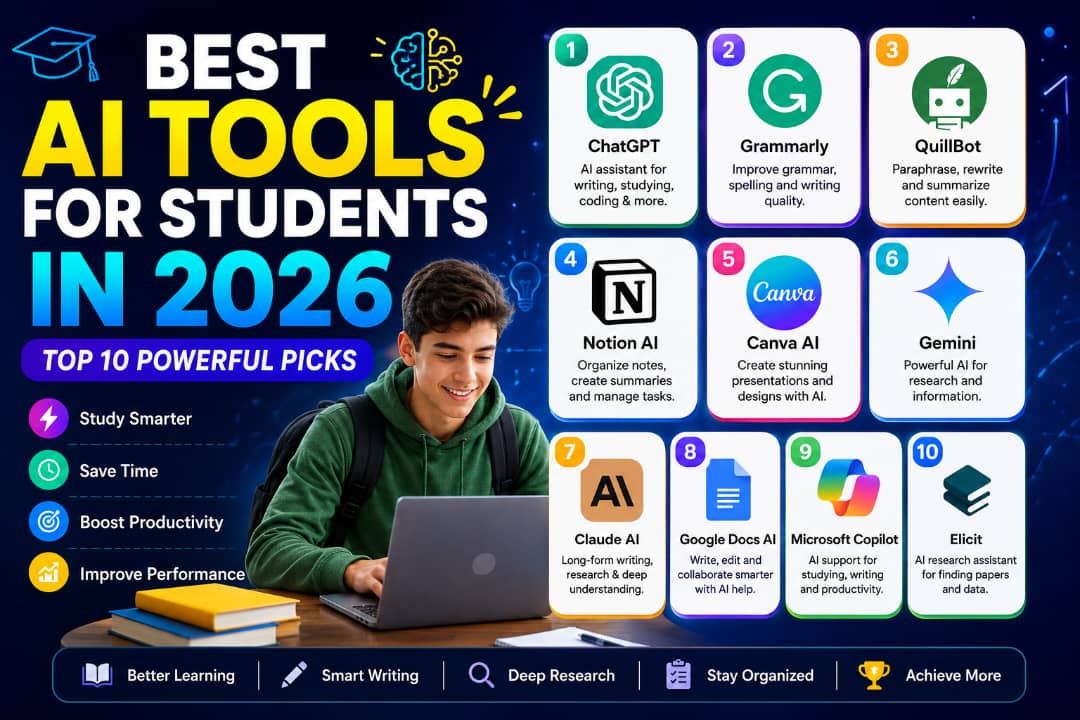
The best AI tools for students in 2026 can help learners understand difficult subjects, organize study notes, improve writing and prepare presentations. From secondary school students to university learners and people taking online courses, AI-powered platforms offer practical ways to approach everyday academic tasks.
Students often need to balance assignments, examinations, research projects and deadlines. The right tools can help break complicated topics into manageable explanations, turn notes into revision questions and improve the clarity of written work. Some platforms also help with visual presentations, research and study planning.
This guide explores seven useful AI tools for students: ChatGPT, Grammarly, QuillBot, Notion AI, Canva AI, Google Gemini and Claude. You’ll learn what each tool can help with, where its limitations matter and how to choose options that fit your studies. Free features and usage limits can change, so check each provider’s current plan before signing up.
💡 My Perspective
AI can be a useful learning partner when students use it to understand ideas rather than simply collect answers. Asking for a simpler explanation, requesting practice questions or comparing different approaches can help make challenging subjects easier to work through.
However, students still need to think independently. AI can produce incorrect information, misunderstand a question or overlook important details. My recommendation is to use these tools to support your learning, verify important claims with reliable sources and make sure you understand any work you submit.
🎓 Study Smarter With AI
Explore practical AI tools for writing, research, presentations and study planning. Start with the tasks you find most difficult, then choose tools that genuinely help.
Why the Best AI Tools for Students in 2026 Matter
Students have access to more digital learning resources than ever, but finding useful information and managing academic responsibilities can still be challenging. AI tools can help explain unfamiliar terms, organize ideas, generate practice exercises and make revision more structured.
Depending on the platform, students may be able to use AI to:
- Break difficult concepts into simpler explanations.
- Generate revision questions and practice quizzes.
- Organize lecture notes and assignment deadlines.
- Improve grammar, spelling and sentence clarity.
- Prepare presentation outlines and visual materials.
- Brainstorm ideas before beginning an assignment.
- Create study schedules and revision plans.
These tools are most useful when they support active learning. Students should still read their course materials, practise solving problems independently and check AI-generated information against reliable sources.
How to Choose an AI Tool for Your Studies
Not every student needs every AI application. Before creating accounts or considering a subscription, identify the academic task you want help with and compare the available features.
- Usefulness: Does the tool help with a real study task?
- Ease of use: Can you use it comfortably on your phone or computer?
- Free access: Are the available free features sufficient for your needs?
- Accuracy: Can you verify its answers using reliable learning resources?
- Privacy: Does the service explain how it handles uploaded files and personal information?
- Academic rules: Does your school permit the intended use of AI?
This guide compares the tools by their practical uses and limitations. It is not a claim that every platform has undergone identical hands-on testing. Features and pricing may change, so consult official product information before making a decision.
📚 Explore More AI Tools
If you want to compare tools for education alongside options for work and everyday productivity, read our broader guide.
1. ChatGPT — An All-Purpose AI Study Assistant
ChatGPT can help students explore unfamiliar topics, brainstorm assignment ideas, create revision questions and understand concepts across many subjects. Its conversational format allows you to ask follow-up questions when the first explanation is unclear.
For example, instead of asking for a complete assignment to submit, you could ask ChatGPT to explain a difficult theory in simpler language, suggest an essay outline or quiz you on a chapter you have already studied. These approaches encourage you to participate in the learning process.
What Students Can Use ChatGPT For
- Understanding challenging topics.
- Creating revision questions and practice quizzes.
- Planning essay structures and research questions.
- Learning programming concepts through examples.
- Summarizing material you provide, followed by checking it against the original.
- Practising explanations before examinations or presentations.
✅ Study Tip
Ask ChatGPT to explain a concept, provide a practical example and then give you three questions to answer without assistance. This makes it a study aid rather than simply an answer generator.
Free-plan note: ChatGPT offers free access, but usage limits and available features can vary. Check the current plan details on its official website.
Official website: ChatGPT
2. Grammarly — Writing and Grammar Assistance
Grammarly helps students review spelling, grammar, punctuation and writing clarity. It can be useful when preparing essays, reports, applications and emails, particularly when a clear and professional writing style is important.
Reviewing suggestions can also help you recognize recurring writing mistakes. Rather than accepting every change automatically, consider why a correction is recommended and whether it preserves your intended meaning.
What Students Can Use Grammarly For
- Checking spelling and grammar.
- Improving sentence clarity.
- Reviewing punctuation.
- Proofreading essays and reports.
- Polishing emails and other academic communication.
Free-plan note: Grammarly provides free writing assistance, while some advanced features require a paid plan. Available features may change.
Important: A writing assistant cannot guarantee that an assignment is factually accurate, original or compliant with your institution’s rules. Check your work yourself and follow your school’s academic integrity policy.
Official website: Grammarly
3. QuillBot — Paraphrasing and Summarizing Support
QuillBot offers writing tools that can help students rephrase sentences, summarize text and review written material. These features may be useful when studying dense reading materials or trying to express an idea more clearly in your own words.
Paraphrasing does not remove the need to acknowledge the original author. If an idea or fact comes from a book, research paper, website or another source, follow the citation style required by your institution—even when you rewrite the wording.
What Students Can Use QuillBot For
- Exploring alternative ways to express a sentence.
- Summarizing reading material for revision.
- Improving sentence flow and readability.
- Identifying key points in longer passages.
- Reviewing their own drafts for clarity.
Free-plan note: Some QuillBot tools are available at no cost, but limits and features differ by plan. Check the official website for current details.
⚠️ Avoid Unethical Paraphrasing
Do not use paraphrasing tools to disguise copied work or evade plagiarism checks. Read the source, understand the idea, write your own explanation and cite the source when required.
Official website: QuillBot
4. Notion AI – Best for Organizing Notes and Study Plans
Notion AI can help students organize their notes, summarize information, structure projects, and manage study tasks within the Notion workspace. It may be useful for students handling several subjects, assignments, and deadlines at the same time.
What Students Can Use Notion AI For
- Organizing class notes into clear sections.
- Summarizing long notes into shorter revision points.
- Creating study schedules and assignment checklists.
- Structuring research ideas and project plans.
- Turning disorganized notes into a more readable outline.
After a lecture, organize your notes by topic and ask Notion AI to suggest a revision outline. Compare the outline with your original notes to make sure important details have not been omitted.
Is Notion AI Free?
Notion offers different plans, and access to AI features may be limited or depend on the plan. Check the current features and pricing on the official website before choosing it for regular academic work.
Best for: Students who want to organize notes, projects, deadlines, and study materials in one workspace.
Keep in mind: AI-generated summaries can miss important information. Review them against your lecture notes, textbooks, and other reliable sources.
5. Canva AI – Best for Presentations and Visual Study Materials
Canva provides design tools and AI-assisted features that can help students create presentations, posters, infographics, diagrams, and other visual learning materials. It can be particularly useful when an assignment requires information to be presented clearly rather than in long paragraphs.
What Students Can Use Canva AI For
- Creating presentation slides for class projects.
- Designing educational posters and infographics.
- Developing visual summaries of complicated topics.
- Preparing charts and diagrams to support explanations.
- Improving the layout and readability of school projects.
Use Canva to turn your own understanding of a topic into a visual summary. Keep the slides simple, check every factual claim, and include sources when your teacher or institution requires them.
Is Canva AI Free?
Canva has a free plan, but some features, design assets, and AI capabilities may require a paid plan or have usage limits. Availability can change, so check the official website for the current terms.
Best for: Students preparing presentations, visual revision notes, posters, and creative assignments.
Keep in mind: An attractive design does not guarantee accurate information. Verify the content and follow your school’s rules about AI-assisted work.
6. Google Gemini – Best for Exploring Topics and Understanding Concepts
Google Gemini is an AI assistant that students can use to explore topics, ask follow-up questions, brainstorm ideas, and request explanations of difficult concepts. It can be helpful when a textbook explanation is unclear or when a student wants to approach a subject from a different angle.
What Students Can Use Google Gemini For
- Requesting simpler explanations of difficult concepts.
- Generating practice questions for revision.
- Brainstorming possible research topics.
- Comparing different approaches to solving a problem.
- Creating a starting outline for a study session.
Instead of asking Gemini to complete an assignment, ask it to explain the underlying concept, give you a practice question, and then check your answer. This encourages active learning rather than simply copying a response.
Is Google Gemini Free?
Gemini offers access options that may include free features, while some capabilities or usage limits can depend on the plan, region, account, and product changes. Check the official Gemini website for current availability and terms.
Best for: Students who want conversational explanations, study questions, brainstorming help, and alternative ways to understand a topic.
Keep in mind: Gemini, like other AI assistants, can produce inaccurate or misleading answers. Confirm important facts with textbooks, academic sources, or your teacher.
See How AI Tools Can Support Student Work

These tools serve different purposes. A conversational assistant can help explain a concept, a workspace can help organize notes, and a design platform can help present information visually. The most useful choice depends on the task, your budget, and your school’s academic-integrity rules.
7. Claude AI – Best for Understanding Long and Complex Material
Claude AI is an AI assistant that students can use to explore complicated topics, organize ideas, review supplied text, and develop clearer explanations. It may be particularly useful when working through lengthy reading materials or trying to understand a difficult concept step by step.
What Students Can Use Claude AI For
- Breaking complicated topics into simpler explanations.
- Summarizing text that they are permitted to share.
- Developing outlines for essays and research projects.
- Generating practice questions from study notes.
- Reviewing their own writing for clarity and structure.
Give Claude a topic you are studying and ask it to explain the main ideas in simple language. Then ask for practice questions and answer them without looking at the explanation. This helps you check whether you understand the material.
Is Claude AI Free?
Claude offers free and paid access options, but usage limits and available features may vary. Check the official Claude website for current availability in your region and the latest plan details.
Best for: Students who need help understanding complex material, organizing written ideas, or reviewing long passages of text.
Keep in mind: Claude can make mistakes or overlook important details. Check its explanations against reliable sources, and do not upload private information or restricted academic material without permission.
Best AI Tools for Students in 2026: Comparison Table
The best AI tool for a student depends on the task. Some tools focus on conversational assistance, while others specialize in writing support, note organization, or visual design. Use this comparison to identify a suitable starting point rather than assuming one tool can do everything.
| AI Tool | Best Use | Free Access | Important Limitation |
|---|---|---|---|
| ChatGPT | Explanations, brainstorming, practice questions | Yes, with limits | Can produce incorrect answers |
| Grammarly | Grammar, spelling, writing clarity | Free features available | Advanced features may require payment |
| QuillBot | Paraphrasing and summarizing | Limited free access | May change meaning or wording inaccurately |
| Notion AI | Organizing notes and study tasks | Plan-dependent | AI access depends on current plan terms |
| Canva AI | Presentations and visual learning materials | Free features available | Some assets and features are paid |
| Google Gemini | Exploring topics and asking follow-up questions | Free access available | Features and limits may vary |
| Claude AI | Complex explanations and written material | Free access available | Usage limits and availability vary |
Note: Free-plan features, usage limits, and pricing can change. Check each provider’s official website before relying on a particular feature or plan.
How to Choose the Right AI Tool for Your Studies
You do not need to subscribe to every AI platform to study effectively. Start with the academic task you want to improve, then choose a tool that addresses that specific need.
For Understanding Difficult Topics
Consider ChatGPT, Google Gemini, or Claude AI when you need an explanation, examples, or practice questions. Ask follow-up questions until you understand the concept, and verify important information with reliable sources.
For Grammar and Writing Clarity
Grammarly can help identify spelling, grammar, and clarity issues. QuillBot may be useful for working with wording and summaries. Use these tools to improve your understanding and expression, not to disguise copied work or misrepresent someone else’s writing as your own.
For Notes and Study Planning
Notion AI may suit students who want to organize notes, deadlines, and revision tasks in one workspace. If you already have a study system that works, you may not need to change it.
For Presentations and Visual Assignments
Canva can help you create slides, posters, and infographics. Focus on accurate information, clear explanations, readable text, and proper attribution rather than design alone.
A Simple Rule for Choosing
- Need an explanation? Try an AI assistant.
- Need clearer writing? Try a writing-support tool.
- Need organized notes? Consider a note-taking workspace.
- Need presentation slides? Consider a design platform.
- Need to save money? Begin with free features and check their limits before upgrading.
Benefits of Using AI Tools for Students
When used carefully, AI tools can support learning in several practical ways. Their value comes from how students use them, not simply from having access to them.
1. More Ways to Understand a Topic
An AI assistant can explain a concept using simpler language, examples, or a different approach. This can give students another way to approach material they find difficult.
2. Support With Revision
Students can ask AI tools to generate practice questions, organize revision topics, or create a study checklist. Answering questions independently is more useful for learning than merely reading AI-generated answers.
3. Better Organization
Note-taking and productivity tools can help students keep track of subjects, deadlines, reading materials, and project tasks. Good organization can make a busy academic schedule easier to manage.
4. Writing and Presentation Support
Writing assistants can help identify language errors, while design tools can help communicate ideas visually. Students should still contribute their own thinking, check facts, and follow their institution’s requirements.
5. A More Flexible Study Routine
Some tools let students revisit explanations or practice questions when convenient. However, AI cannot replace consistent study, feedback from teachers, careful reading, or hands-on practice where those are required.
Common Mistakes Students Should Avoid When Using AI
AI can be useful, but careless use can undermine learning and create academic problems. Avoid these common mistakes.
Copying AI Answers Without Understanding Them
A polished answer is not proof that you understand a subject. Read the response, check the key ideas, and explain the concept in your own words before using what you have learned.
Trusting Every Answer
AI tools can invent references, misstate facts, misunderstand questions, or give outdated information. Verify important claims with textbooks, official sources, academic publications, or your teacher.
Submitting AI-Generated Work Without Permission
Schools, colleges, and universities have different policies on AI-assisted work. Read your institution’s rules before using AI for an assignment, examination, research project, or assessment. When disclosure is required, be transparent about how you used the tool.
Using Paraphrasing to Hide Plagiarism
Changing a few words does not make another person’s ideas your own. Cite sources appropriately, distinguish your own analysis from borrowed material, and follow the academic referencing style required for your work.
Sharing Private or Sensitive Information
Do not casually upload passwords, personal records, private messages, confidential research, or other sensitive information. Review a service’s privacy terms and your school’s rules before submitting documents or data.
Use AI to support your thinking, not replace it. Your understanding, judgment, and ability to explain your work remain essential.
Are Free AI Tools Enough for Students in 2026?
For many students, free AI tools are a sensible place to start. They can provide useful support with explanations, writing improvement, brainstorming, note organization, and presentations without requiring an immediate subscription.
However, free plans may have usage limits, restrict certain features, or change their terms over time. A paid subscription may be worth considering when you regularly need a particular feature, but it is not automatically necessary for effective studying.
When Free AI Tools May Be Enough
- You need occasional explanations of difficult topics.
- You want to check grammar and improve writing clarity.
- You need basic help planning your study schedule.
- You want to create simple presentations or visual revision materials.
- You are still learning which tools are useful for your academic needs.
When a Paid Plan Might Be Worth Considering
- You frequently reach the limits of a free plan.
- You need a specific advanced feature for regular academic work.
- The additional capabilities genuinely save you time or improve your workflow.
- The subscription fits your budget and offers clear value for your needs.
Start with free access, test whether the tool solves your problem, and upgrade only if you have a clear reason. Avoid paying for several tools that perform nearly identical tasks.
How to Use AI Tools to Study Smarter
Choosing the best AI tools for students in 2026 is only the first step. The way you use them determines whether they support meaningful learning or become a distraction. These practical strategies can help you use AI more responsibly.
1. Ask for Explanations, Not Just Answers
When you encounter a difficult topic, ask an AI assistant to explain it in simple language and provide an example. If the first explanation is unclear, ask for another example or a step-by-step breakdown.
2. Turn Your Notes Into Practice Questions
Use your lecture notes or textbook material to create revision questions. Answer the questions without looking at the source material, then check your responses and revisit the topics you misunderstood.
3. Review Your Own Writing
Write your assignment draft first. You can then use a writing assistant to identify unclear sentences, grammar errors, or areas that need stronger explanations. Make the final decisions yourself and follow your institution’s rules about AI assistance.
4. Break Large Assignments Into Smaller Tasks
Ask an AI tool to help you create a checklist of research, reading, drafting, reviewing, and editing tasks. Use the checklist to organize your time, but make sure your research and submitted work meet the assignment requirements.
5. Verify Facts and References
Do not assume an AI-generated quotation, statistic, book title, or academic reference is genuine. Locate the original source and confirm that it supports the claim before including it in your work.
6. Protect Your Independent Thinking
Before asking AI for help, try to solve the problem yourself. Afterwards, compare your approach with the explanation you receive. This allows you to identify mistakes and learn alternative methods without becoming dependent on automated answers.
How to Evaluate AI Tools for Student Use
There is no single AI tool that is best for every student. A useful comparison should consider the tool’s intended purpose, available features, ease of use, cost, privacy considerations, and potential limitations.
When deciding whether a tool is suitable for your studies, consider these questions:
- Usefulness: Does it address a real academic need?
- Accuracy: Can its answers be checked against reliable sources?
- Ease of use: Can you use it without creating unnecessary work?
- Cost: Are the free features sufficient, or is a paid plan necessary?
- Privacy: Do the service’s terms and data practices suit your needs?
- Academic integrity: Can you use it in a way that follows your school’s rules?
This article compares tools according to their general capabilities and common student use cases. Features, pricing, availability, and free-plan limits can change, so check each provider’s official website before making a decision. The descriptions should not be interpreted as a claim that every tool has undergone identical hands-on testing. For more information about our evaluation approach, read How We Test AI Tools at AI Compare Guide.
The Future of AI Tools in Education
AI is becoming part of how people search for information, organize work, create digital content, and explore unfamiliar subjects. For students, these tools may offer additional ways to practice skills and approach difficult material.
However, access to AI does not remove the need for subject knowledge, careful reading, critical thinking, and independent work. Students still need to evaluate evidence, recognize errors, understand what they submit, and communicate their own ideas.
The most useful approach is to treat AI as a learning assistant rather than an authority. Use it to ask better questions, explore different explanations, and identify gaps in your understanding. Then confirm important information and apply what you have learned independently.
Final Verdict: Which AI Tools Should Students Choose in 2026?
The best AI tools for students in 2026 depend on what you want to accomplish. ChatGPT, Google Gemini, and Claude AI can help explore concepts and generate practice questions. Grammarly and QuillBot offer writing-related assistance, Notion AI can support organization, and Canva can help create visual learning materials.
You do not need every tool on this list. Start with one that addresses your biggest academic challenge, explore its free features, and check whether it genuinely helps you learn. Add another tool only when it provides a useful capability you are missing.
Most importantly, protect your privacy, verify AI-generated information, cite sources appropriately, and follow your school’s rules on AI-assisted assignments. Used thoughtfully, AI can support your learning while leaving the essential work of understanding and thinking in your hands.
Explore More AI Tools
Looking beyond student-focused tools? Explore our broader guide to AI tools for studying, productivity, and business tasks.
Explore the Best AI Tools GuideFrequently Asked Questions About the Best AI Tools for Students in 2026
1. What are the best AI tools for students in 2026?
Useful options include ChatGPT, Grammarly, QuillBot, Notion AI, Canva, Google Gemini, and Claude AI. The right choice depends on whether you need help understanding concepts, improving writing, organizing notes, or creating presentations.
2. Are there free AI tools for students?
Yes. Several providers offer free access or free features. However, usage limits, available tools, and plan terms vary. Check the official website of each service for current details.
3. Can AI tools help students improve their grades?
AI tools may support learning by explaining difficult concepts, generating practice questions, and helping students organize revision. Better grades are not guaranteed; understanding the material, practicing consistently, and completing work independently remain important.
4. Is it acceptable to use AI for school assignments?
That depends on your school, teacher, course, and assignment rules. Some institutions permit limited AI assistance, while others restrict it for particular tasks. Check the relevant policy and disclose AI use when required.
5. Which AI tool is useful for student presentations?
Canva can help students design presentation slides, posters, and infographics. Always verify the facts, make sure the content reflects your understanding, and cite sources when required.
6. Should students rely entirely on AI for studying?
No. AI can make mistakes and may leave out important information. Use it to support your learning, but also read course materials, practice independently, consult teachers, and verify important claims.
7. Do students need paid AI subscriptions?
Not necessarily. Free features may be sufficient for many common study tasks. Consider paying only when you regularly need a feature that is unavailable on your current plan and the cost fits your budget.
8. How can students use AI responsibly?
Verify information, protect sensitive data, cite sources appropriately, follow academic-integrity rules, and make sure you understand the work you submit. Use AI to strengthen your skills rather than replace your own effort.
Osayamen Okuonghae
AI Researcher | Founder of AICompareGuide.com
Helping professionals and businesses make smarter decisions through
in-depth AI tool comparisons, feature breakdowns, and practical insights
on leading AI assistants like ChatGPT, Gemini, and Claude.