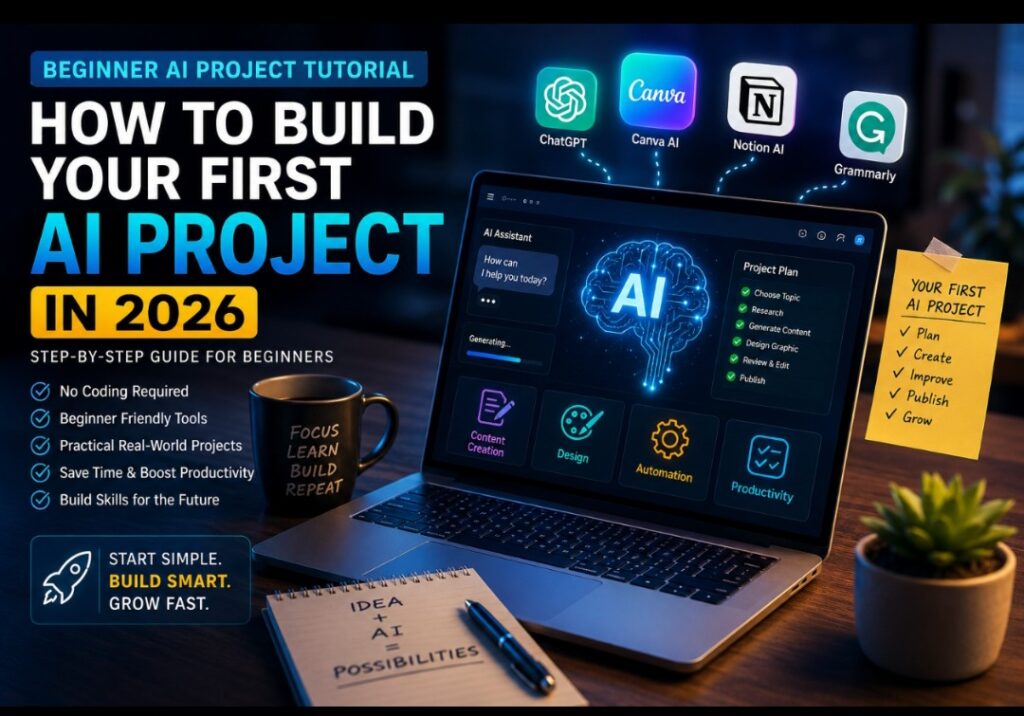
Building your first AI project does not have to mean learning complicated programming. In 2026, beginners can use accessible AI tools to complete practical projects involving writing, research, design, planning, productivity, content creation, and business tasks.
ChatGPT, Canva AI, Grammarly, Notion AI, and other AI-powered platforms can help you complete different parts of a project. The important thing is not to collect dozens of tools, but to understand how to choose a problem, give clear instructions, review the results, and turn the output into something genuinely useful.
This beginner AI project tutorial will walk you through that process step by step. You will learn how to choose a simple project, select appropriate AI tools, write better prompts, check AI-generated information, improve the results, and complete a project you can actually use.
You do not need to be a programmer to follow this guide. You can start with a smartphone, an internet connection, and access to suitable AI tools.
💬 My Perspective
I believe one of the biggest mistakes beginners make is waiting until they feel completely ready before trying AI. You do not need to understand every AI feature before starting. Choose one small problem, build something useful, check the result carefully, and learn from the process. Your first project may be simple, but completing it gives you practical experience that endless research cannot provide.
What You’ll Learn in This Tutorial
- What a beginner AI project actually is
- How to choose a realistic first project
- How to select the right AI tools
- How to write clearer AI prompts
- How to build an AI project step by step
- How to check AI-generated information
- How to improve AI-generated results
- Common mistakes beginners should avoid
- Practical AI project ideas you can try next
- How to continue developing your AI skills
What This Tutorial Focuses On
This is a practical beginner tutorial rather than a laboratory benchmark of AI models. The workflow focuses on the areas that matter when someone is completing a simple AI-assisted project.
- Ease of use: How manageable the workflow is for someone new to AI.
- Prompting: How clear instructions can improve the usefulness of AI-generated results.
- Output quality: Whether the generated material is useful enough to be edited and developed further.
- Accuracy: Why AI-generated information should be checked before it is treated as factual.
- Practical usefulness: Whether AI can help complete a real task rather than simply generate an impressive demonstration.
- Limitations: Where human judgment, editing, fact-checking, or additional tools are still required.
Important: AI tools change frequently. Features, free-plan limits, pricing, models, and availability may change after this article is published.
What Is a Beginner AI Project?
A beginner AI project is a small, practical task where artificial intelligence helps you create, organize, analyze, improve, or automate something useful.
It could be as simple as creating a weekly study plan, writing a first draft of a business proposal, creating social media content, organizing research notes, designing a presentation, or producing a content calendar.
The important part is that you are not simply asking an AI tool random questions. You have a clear goal, use AI to assist with specific parts of the task, review what it produces, and turn the results into a finished piece of work.
That difference matters. Learning AI becomes much more useful when you connect the technology to a real problem in your school, work, business, or personal life.
Why Learning AI Through Projects Is Effective
Reading about artificial intelligence can help you understand concepts, but practical projects teach you how to use AI in real situations.
When you build something, you quickly discover that getting useful results is not always as simple as typing one sentence into an AI chatbot. You have to explain what you want, provide enough context, review the response, identify mistakes, and sometimes ask follow-up questions.
That process develops several useful skills at the same time:
- Problem-solving
- Research
- Prompt writing
- Critical thinking
- Editing
- Organization
- Digital literacy
- Quality control
These skills can become more valuable as you use AI for increasingly complex tasks.
🚀 Explore More AI Tools
Before choosing several AI platforms, it helps to understand which tools are designed for different users and tasks.
Step 1: Choose a Simple Problem to Solve
The first step in this beginner AI project tutorial is deciding what you want to accomplish.
Do not begin by asking, “What is the most impressive AI project I can build?” Instead, ask, “What problem do I have that AI might help me solve?”
This approach makes the project easier because you already have a reason for building it.
For example:
- A student could create a study planner.
- A freelancer could create a client proposal template.
- A content creator could develop a weekly content calendar.
- A small business owner could create product descriptions.
- A blogger could develop an article outline and research workflow.
- A job seeker could organize and improve a CV draft.
Choose something small enough to complete in one or two hours. Your first project should build confidence, not overwhelm you.
💡 Beginner Tip
Your first AI project does not need to be revolutionary. A simple project that solves a real problem is more useful for learning than a complicated project you never finish.
Step 2: Define the Final Result
Before opening an AI tool, decide what you want to have at the end of the project.
For example, if your project is a study planner, your final result might be a seven-day schedule containing subjects, study periods, revision sessions, and breaks.
If your project is a marketing campaign, your final result might include a campaign idea, several social media posts, a promotional headline, and an image concept.
Having a clear destination prevents you from spending unnecessary time generating information that you do not actually need.
A useful formula is:
Problem → Desired result → AI assistance → Human review → Finished project
Keep that workflow in mind throughout your project.
Step 3: Choose the Right AI Tools
You do not need ten AI tools to complete your first project. In many cases, one or two tools may be enough.
Choose tools according to the job you need to perform.
- ChatGPT: Useful for brainstorming, writing, explanations, planning, and many general-purpose tasks.
- Canva AI: Useful for graphics, presentations, designs, and visual content where the relevant features are available.
- Grammarly: Useful for proofreading, grammar, spelling, and writing refinement.
- Notion AI: Useful for organizing information, notes, planning, and productivity workflows where the relevant features are available.
These are examples rather than requirements. The right tool depends on the project you are trying to complete.
AI products change frequently, so check the current features, access restrictions, and pricing directly with the provider before relying on a specific feature.
Step 4: Break the Project Into Smaller Tasks
One of the easiest ways to make an AI project manageable is to divide it into smaller tasks.
Suppose you want to create a short business marketing campaign. Instead of asking an AI tool to “create my entire marketing campaign,” break the project into stages:
- Define the target audience.
- Identify the main problem the product solves.
- Generate possible campaign ideas.
- Choose an appropriate direction.
- Create draft marketing messages.
- Develop visual concepts.
- Review the material.
- Edit and prepare the final campaign.
This gives you greater control over the process and makes it easier to identify mistakes.
It also prevents the common mistake of expecting one AI response to complete an entire project perfectly.
Step 5: Write a Clear AI Prompt
A prompt is the instruction you give an AI system. Clear prompts can give the system more useful information about what you want it to accomplish.
A weak prompt might look like this:
“Write something about artificial intelligence.”
That instruction leaves many important details unanswered.
A more useful prompt could be:
“Act as a writing assistant. Create a 500-word beginner-friendly article explaining five practical ways small businesses can use AI to save time. Use simple English, clear headings, and practical examples. Avoid unsupported claims and identify information that should be verified.”
The second prompt gives the AI information about the role, task, audience, length, structure, style, and quality expectations.
A Simple Prompt Formula
You can use this basic structure when creating prompts:
Role + Task + Context + Audience + Format + Requirements
Example:
“Act as a business writing assistant. Create a short product description for a beginner-friendly budgeting app. The target audience is young adults. Use simple English, highlight three practical benefits, and keep the description under 150 words.”
You do not need to follow this formula perfectly every time. The main idea is to give the AI enough context to understand the job.
Step 6: Improve the Result Instead of Accepting the First Answer
Your first AI response should usually be treated as a starting point, not automatically as the finished project.
If the response is too long, ask for a shorter version. If it sounds generic, provide more context. If important information is missing, ask the AI to address the missing area.
For example, you can use follow-up instructions such as:
- “Make this easier for a complete beginner to understand.”
- “Give me three practical examples.”
- “Remove unnecessary repetition.”
- “Rewrite this in a natural and conversational tone.”
- “Organize this into clear steps.”
- “Identify claims that should be fact-checked.”
This process of reviewing and refining is one of the most important skills you can develop when working with AI.
Step 7: Fact-Check AI-Generated Information
Never assume that an AI-generated answer is automatically accurate simply because it sounds confident.
AI systems can produce incorrect information, outdated details, misleading statements, or references that require verification.
This is particularly important when your project involves health, finance, law, education, current events, product specifications, prices, statistics, or other information where accuracy matters.
For important factual claims, look for reliable sources and compare the information before using it.
When creating online content, this step is especially important. AI can help with research and drafting, but you remain responsible for the accuracy and quality of what you publish.
⚠️ Remember
AI-generated does not automatically mean fact-checked. Treat important information as something to verify, not something to accept blindly.
Step 8: Add Your Own Judgment and Creativity
This is where your project becomes more than a collection of AI-generated text or images.
Read through the output and decide what actually makes sense. Remove weak sections, correct mistakes, add relevant examples, and include your own experience or perspective where appropriate.
If you are creating an article, do not simply copy and publish the AI response. Research important claims, improve the structure, add useful insight, and make the final piece genuinely helpful to readers.
If you are creating a design, review the layout, wording, images, and branding before using it.
If you are creating a business document, make sure the recommendations actually fit the business rather than accepting generic suggestions.
The human review stage is what turns AI assistance into a useful finished project.
Step 9: Combine AI Tools When Necessary
Some projects can be completed with one AI tool. Others benefit from combining several tools.
For example, imagine that you want to create a short blog article with a social media graphic.
- Use a general-purpose AI assistant to brainstorm the topic.
- Create an outline.
- Draft the article.
- Fact-check important claims.
- Edit the article and add your own perspective.
- Use a design tool to create a suitable graphic.
- Review both the article and image before publishing.
The purpose of combining tools is not to make the project look complicated. Use another tool only when it performs a task that is useful to the final result.
Practice Before You Build Something Bigger
Many beginners feel pressure to create impressive AI projects immediately. That can make learning unnecessarily difficult.
Start with small tasks. Experiment with different prompts, compare results, and pay attention to what improves the quality of the output.
You may discover that a small change in your instructions produces a significantly different result. You may also discover that some tasks require more human editing than others.
That experience is valuable because you are learning how to work with AI rather than simply learning about AI.
📚 Helpful AI Resource
If you want to explore more beginner-friendly AI platforms for learning, productivity, business, and everyday tasks, see our broader AI tools guide.
Step 10: Review the Finished Project
Before considering your first AI project complete, perform a final quality check.
Ask yourself:
- Does the project actually solve the problem I started with?
- Is the information accurate enough for its intended use?
- Have I removed unnecessary or incorrect AI-generated material?
- Does the final result make sense to the intended audience?
- Have I added my own judgment and improvements?
- Are there any claims that still need verification?
- Have I checked spelling, grammar, formatting, and presentation?
This final review is important because an AI-assisted project is not necessarily finished simply because the AI has stopped generating content.
What You’ll Learn From Your First AI Project
By completing your first AI project, you gain more than a finished piece of work. You begin to understand how AI responds to instructions, where it can save time, where it needs human guidance, and where its limitations become noticeable.
You also develop practical skills such as research, editing, organization, problem-solving, prompt writing, and critical thinking.
Most importantly, you start building confidence through experience.
The first project may not be perfect. That is not the point. The goal is to understand the process well enough to improve your next project.
Example: Build a Simple AI Content Project
Let’s put the process together with a simple example.
Imagine that you want to create a beginner-friendly article about healthy eating and a supporting social media graphic.
1. Define the Goal
Your goal is to create a useful educational article and one supporting visual.
2. Break Down the Work
- Research the topic.
- Create an outline.
- Draft the article.
- Check factual claims.
- Edit the article.
- Create a visual concept.
- Design the graphic.
- Review everything before publishing.
3. Use AI for the First Draft
Ask an AI assistant to help develop an outline based on your intended audience and topic.
Give it enough context about the purpose, audience, structure, and length rather than using a vague instruction.
4. Review the Output
Check whether the information is relevant, understandable, and accurate. Remove unsupported claims and verify important health information using appropriate reliable sources.
5. Add Your Own Input
Rewrite sections where necessary, add useful examples, improve the introduction, and make sure the article reflects the needs of your intended audience.
6. Create the Visual
Use an appropriate design tool to create a simple graphic that supports the article. Check spelling, layout, readability, and any factual information displayed in the image.
7. Perform a Final Review
Read the complete project from the perspective of someone seeing it for the first time. Ask whether it is useful, clear, accurate, and genuinely worth the reader’s time.
That is a complete beginner AI project. It may look simple, but the workflow can be applied to much larger projects as your skills improve.
10 Beginner AI Project Ideas You Can Try
If you are still unsure what to build, start with one of these practical ideas.
- Study Planner: Create a weekly study schedule based on your subjects, available time, and priorities.
- Content Calendar: Develop a weekly or monthly content plan for a blog, YouTube channel, or social media page.
- Business Proposal: Create a first draft of a simple proposal and then adapt it to your specific business.
- Product Descriptions: Draft descriptions for products in an online store and improve them manually.
- Social Media Campaign: Create several content ideas around one product, service, or topic.
- Research Organizer: Use AI to organize notes and identify questions that require further research.
- Presentation: Develop an outline for a presentation and create supporting visual ideas.
- Personal Budget Planner: Organize income and expenses into categories and create a simple planning structure.
- YouTube Content Plan: Develop video ideas, titles, outlines, and questions for a specific audience.
- Weekly Productivity System: Build a simple system for organizing tasks, priorities, and deadlines.
Choose only one to begin. Completing one project is more valuable for learning than creating a long list of projects that you never finish.
Common Mistakes Beginners Should Avoid
1. Trying Too Many AI Tools
Signing up for every new AI platform can become distracting. Learn the tools that actually help you complete your current project before adding more.
2. Expecting Perfect Results
AI-generated output often needs editing, clarification, fact-checking, or additional instructions. Treat the first response as a draft when appropriate.
3. Using Vague Prompts
If you provide very little context, the result may be generic. Explain what you are trying to accomplish and who the final output is for.
4. Publishing Without Checking Facts
This is one of the most important mistakes to avoid. Review factual claims before publishing or relying on them.
5. Copying AI Output Without Adding Value
AI can help create a draft, but useful content should contain meaningful human review, editing, context, examples, and original insight.
6. Making the First Project Too Complicated
A complicated project can create unnecessary frustration. Start small and increase the difficulty gradually.
7. Ignoring AI Tool Limitations
Every AI tool has limitations. A tool may perform one task well while being less useful for another. Understanding those limitations helps you choose a suitable workflow.
AI Should Assist Your Work, Not Replace Your Judgment
One of the most important lessons from a beginner AI project is that AI works best when you remain actively involved in the process.
You provide the goal and context. The AI can help generate possibilities, organize information, create drafts, or speed up repetitive work. You then review the result and decide what should stay, what should change, and what needs verification.
This human-and-AI workflow is more responsible than treating an AI response as a finished answer in every situation.
It also helps you develop a deeper understanding of the technology because you are learning how to direct it rather than simply asking it to do everything for you.
🔎 How We Evaluate AI Tools
At AI Compare Guide, we aim to evaluate AI tools from a practical, user-focused perspective. Where practical, we use real-world tasks and prompts and consider areas such as features, ease of use, output quality, accuracy, usefulness, limitations, pricing, and value.
Our testing observations are not intended to represent every possible user, prompt, device, account, or situation. AI tools can change over time, so features and results may also change.
How Beginner AI Projects Can Help You Build Useful Skills
A small AI project can teach you skills that extend beyond the specific tool you use.
For example, creating an article can improve your research and editing skills. Building a content calendar can improve planning and organization. Creating a business proposal can improve communication. Developing a study planner can improve time management.
The AI tool is only one part of the learning process. The bigger benefit comes from understanding how to identify a problem, break it into tasks, use technology appropriately, and evaluate the result.
Those skills can be applied to many different areas as your experience grows.
Why Consistent Practice Matters More Than Perfection
You do not become comfortable with AI after completing one project. Your first project is simply the beginning.
After finishing it, try something slightly more challenging. Experiment with different prompts. Compare how different tools handle the same task. Pay attention to where the output is useful and where you need to intervene.
Over time, you will develop your own workflow.
A useful goal is to complete one small AI-assisted project regularly rather than spending all your time watching tutorials without applying what you learn.
What AI Still Cannot Do for You
It is easy to become excited about what AI can accomplish, but responsible use also requires understanding its limitations.
AI can make mistakes. It can misunderstand instructions. It can produce generic material. Its information may become outdated. Some features may be restricted to particular plans or accounts. Results can also vary depending on the task and the instructions provided.
That is why successful AI workflows include human review.
Use AI to accelerate your work, but do not automatically surrender your judgment to it.
📘 Recommended Reading
If you’re interested in finding AI tools for learning, productivity, business, and other practical tasks, explore our detailed guide below.
Why Your First AI Project Matters
Your first project may not look impressive from the outside, but the experience can teach you how to approach AI more effectively.
You learn that good results require more than pressing a button. You need a clear objective, useful instructions, careful review, and an understanding of the technology’s limitations.
That mindset becomes increasingly important as AI tools become more capable and more widely used.
Instead of asking only, “What can this AI tool do?” begin asking, “What useful problem can I solve with it, and how can I verify the result?”
What to Build After Your First AI Project
Once you are comfortable with simple AI projects, you can gradually increase the difficulty.
You might create a more detailed content workflow, develop an AI-assisted research system, automate repetitive tasks, build a presentation, create a digital product, or connect several tools together.
You can also start comparing different AI tools for the same task. For example, you might give two tools a similar writing or planning task and examine how their outputs differ in clarity, usefulness, speed, and limitations.
The purpose is not simply to find a tool that produces the longest answer. It is to understand which approach works best for the particular task you are trying to complete.
The Future of AI Projects for Beginners
Artificial intelligence is evolving quickly, and beginners have more opportunities to experiment with AI than ever before.
Businesses are using AI for tasks such as customer support, content creation, research, data analysis, workflow assistance, and productivity. Students and professionals are also exploring AI as a tool for learning, organization, communication, and creative work.
However, learning AI is not about trying to predict exactly which tool will dominate the future. Individual products, features, and models can change quickly.
A more durable skill is learning how to evaluate technology, understand its limitations, give clear instructions, verify important information, and use AI responsibly to solve practical problems.
How to Keep Improving Your AI Skills
Completing your first project is only the beginning. The best way to become comfortable with AI is through continuous practice and curiosity.
Here are some habits that can help you improve steadily:
- Experiment with new prompts regularly.
- Follow meaningful updates from the AI tools you use.
- Compare the outputs of different AI platforms when appropriate.
- Pay attention to limitations and errors instead of focusing only on impressive results.
- Build slightly more challenging projects as your skills improve.
- Review and edit AI-generated content before publishing or using it.
- Keep notes about workflows that save you time.
Remember that no one becomes an AI expert overnight. Consistent practice and a willingness to learn are more useful than trying to understand everything at once.
🚀 Continue Your AI Learning Journey
Ready to explore more practical AI tools for learning, productivity, business, and everyday work?
Frequently Asked Questions
Can I build an AI project without coding?
Yes. Many beginner projects can be completed with no-code or low-code AI tools. Writing, research, planning, content creation, design, and productivity projects are examples of areas where beginners can start without programming experience.
What is the easiest AI project for a beginner?
A simple content, planning, research, or productivity project is a good starting point. Choose something connected to a real problem you already understand and keep the first project small.
Do I need to pay for AI tools?
Not necessarily. Some AI platforms offer free access or free features, although limits and available capabilities can vary. Check the current terms and features of each provider before starting your project.
Can I use my smartphone to build an AI project?
Yes. Many AI tools can be accessed through mobile apps or web browsers. The exact experience depends on the tool and the type of project you are building.
Should I trust everything AI generates?
No. AI-generated information should be reviewed carefully, especially when the information is important or could affect someone’s decisions. Fact-check important claims using reliable sources.
How long does it take to build a beginner AI project?
A simple project can often be completed in an hour or two, depending on what you are creating. The goal of your first project should be to finish something useful rather than create something unnecessarily complicated.
My Final Thoughts
Your first AI project does not need to be complicated, expensive, or technically impressive. What matters is that you use AI to solve a real problem and learn something from the process.
Start with one clear goal. Choose only the tools you need. Give them useful instructions. Review their output. Check important facts. Add your own judgment and creativity. Then turn the improved result into something you can actually use.
The more projects you complete, the easier it becomes to recognize where AI can save you time and where human thinking is still essential.
If you have been waiting for the perfect time to start learning AI, your first small project can be that starting point.
Start small, learn by doing, and improve one project at a time.
🚀 Ready to Explore More AI Tools?
Your first project is only the beginning. Explore more AI tools and discover which ones may fit your learning, productivity, content, or business needs.
Editorial Note: AI Compare Guide aims to provide practical and transparent information about AI tools. Features, pricing, availability, and capabilities can change over time. Where practical, we evaluate tools using real-world tasks and prompts while recognizing that individual results may vary.
Learn more about our Editorial Policy and AI tool testing methodology.
Written by: Osayamen Okuonghae
Last Updated: September 2026

Osayamen Okuonghae
AI Researcher | Founder of AICompareGuide.com
Helping professionals and businesses make smarter decisions through
in-depth AI tool comparisons, feature breakdowns, and practical insights
on leading AI assistants like ChatGPT, Gemini, and Claude.
I love this
Thanks so much. We will continue to do more for a better user experience
Thanks for your love